

React 介绍
React 是一个用于构建用户界面的 javascript 库,核心是基于组件化和声明式编程来实现的讷,从而让开发者实现快速的搭建web界面吧
搭建页面的步骤
1. 和后端server或者运营server进行对齐,实现对应的设计 json schema 和 ui的原型图
2. 实现将 ui 拆解为对应的原子化组件,拆分组件层级结构,最后进行组件的组装以及实现页面的构建
3. 实现找出对应的组件需要进行管理的 state 状态,最后通过 useState 进行包裹即可吧
为了实现界面的可交互性,此时我们就需要进行对应的组件的状态的实现,因为用户的每一个操作实现的是进行更改对应的程序中定义的结构化数据,实现对应的页面的可交互吧
此时一个组件的核心数据来源有:父组件的 props,组件本身的 state,全局的 context,以及或者状态管理工具中的数据吧
同时我们的 useState 也是可以实现对应的钩住我们的组件的渲染周期的讷,因为一个组件的重新渲染取决于其 props state context 的修改,这些一旦修改了,组件就会重新渲染
4. 思考是否有反向数据的传递
因为 state context props 实现的是正向数据的传递嘛,此时核心需要做的就是进行对应的思考是否有数据需要进行对应的反向传递实现对应的渲染变化更改吧
也就是子组件的一些操作实现更新渲染父组件中的 state 吧,这就是后续需要进行深入考虑的讷
React 的核心概念
react 是组件化的,component-base 的
React 以组件为基本构建单元,将 UI 拆分为独立、可复用的代码片段(组件)。每个组件封装了自身的逻辑、样式和结构,可通过组合嵌套形成复杂界面。
优势:高复用性、易维护性、隔离性(组件状态 / 逻辑独立)。
react 是声明式编程
声明式:开发者只需描述 “UI 应该是什么样”(基于当前状态),React 负责处理 “如何渲染 / 更新 DOM”。
命令式:需要手动编写每一步 DOM 操作(如
document.createElement/appendChild)。对比示例:
声明式(React):
return <h1>Hello {name}</h1>(描述结果)。命令式(原生 JS):
const h1 = document.createElement('h1'); h1.textContent = 'Hello ' + name; document.body.appendChild(h1);(描述步骤)。
react 的ui声明是通过jsx进行定义的,javascript + xml
JSX 是 JavaScript 的语法扩展(
JavaScript + XML),用于在 React 中描述 UI 结构,最终会被 Babel 编译为React.createElement调用。语法:JSX 用
className代替 HTML 的class,用htmlFor代替for。表达式:JSX 中可通过
{}嵌入 JavaScript 表达式(如变量、函数调用)。安全性:JSX 会自动转义内容,防止 XSS 攻击。
react 的 state props context 定义实现吧
react 的单向数据流理解
单向数据流是指 React 中数据只能从父组件流向子组件,子组件不能直接修改父组件的 Props。若需修改,需通过父组件传递的回调函数触发父组件的 State 更新。
可预测性:数据流动方向明确,便于调试和维护。
降低复杂度:避免双向绑定带来的状态混乱。
react 状态驱动的理解
React 是 “状态驱动” 的,即 UI 是状态的 “映射”:当组件的 State/Props 发生变化时,React 会自动重新渲染组件,生成新的 UI 视图。
状态变化(如
setState/setCount)。React 重新执行组件的
render方法(或函数组件本身),生成新的虚拟 DOM。通过 Diff 算法对比新旧虚拟 DOM,找出差异并更新真实 DOM。
React 的虚拟DOM理解
虚拟 DOM 是描述真实 DOM 的轻量级 JavaScript 对象。React 通过以下方式提升性能:
批量更新:将多次状态变化合并为一次 DOM 更新。
Diff 算法:对比新旧虚拟 DOM 的差异,只更新变化的部分(最小化 DOM 操作)。
避免直接操作 DOM:DOM 操作代价高,虚拟 DOM 作为中间层减少了真实 DOM 的操作次数。
React Hooks 是什么讷?
Hooks 是 React 16.8 新增的特性,允许在函数组件中使用 State、生命周期等特性,无需编写类组件
简化逻辑复用(替代 HOC/Render Props)
使组件逻辑更集中(避免类组件的生命周期分散)
更简洁的代码(函数组件比类组件更轻量)
常用 Hooks:
useState(状态)、useEffect(副作用)、useContext(上下文)、useRef(DOM / 持久值)
React 中的高阶组件(HOC)
高阶组件(Higher-Order Component)是一个函数,它接收一个组件作为参数,并返回一个新的组件
用于复用组件逻辑、状态抽象、属性增强等
本质:组件的包装器,它可以增强被包装组件的功能
HOC 特性
可以多个 HOC 实现嵌套使用吧
HOC 是纯函数,不会改变被包装组件的代码
通过
{...props}将外部 props 传递给被包装组件后续的自定义 hooks 就是我们的 HOC 的一种替代方案了讷
React 类组件 class Component
定义:使用 ES6
class语法定义的组件,继承自React.Component。状态管理:通过
this.state和this.setState()管理状态。生命周期:拥有完整的生命周期方法(如
componentDidMount、componentDidUpdate等)。
import React, { useState, useEffect, ComponentType } from 'react';
import { RouteComponentProps } from 'react-router-dom';

// 1. Counter 组件
interface CounterProps {
  initialCount?: number;
}

interface CounterState {
  count: number;
}

class Counter extends React.Component<CounterProps, CounterState> {
  constructor(props: CounterProps) {
    super(props);
    this.state = {
      count: props.initialCount || 0
    };
    this.handleIncrement = this.handleIncrement.bind(this);
  }

  handleIncrement(): void {
    this.setState({
      count: this.state.count + 1
    });
  }

  componentDidMount(): void {
    console.log('组件已挂载');
  }

  componentDidUpdate(prevProps: CounterProps, prevState: CounterState): void {
    if (prevState.count !== this.state.count) {
      console.log('count 已更新');
    }
  }

  render(): React.ReactNode {
    return (
      <div>
        <p>Count: {this.state.count}</p>
        <button onClick={this.handleIncrement}>+1</button>
      </div>
    );
  }
}

// 2. withLoading HOC
interface WithLoadingProps {
  isLoading?: boolean;
}

function withLoading<P extends object>(
  WrappedComponent: React.ComponentType<P>
): React.FC<P & WithLoadingProps> {
  const WithLoadingComponent: React.FC<P & WithLoadingProps> = (props) => {
    const [isLoading, setIsLoading] = useState<boolean>(true);

    useEffect(() => {
      const timer = setTimeout(() => {
        setIsLoading(false);
      }, 1000);

      return () => clearTimeout(timer);
    }, []);

    if (isLoading) {
      return <div>Loading...</div>;
    }

    return <WrappedComponent {...props as P} />;
  };

  return WithLoadingComponent;
}

// 3. withAuth HOC (函数组件版本)
function withAuth<P extends object>(
  WrappedComponent: React.ComponentType<P>
): React.FC<P> {
  const AuthComponent: React.FC<P> = (props) => {
    const isAuthenticated = localStorage.getItem('token');

    if (!isAuthenticated) {
      return <div>请先登录</div>;
    }

    return <WrappedComponent {...props} />;
  };

  return AuthComponent;
}

// 4. withAuth HOC (类组件版本 - 路由重定向)
interface WithAuthProps extends RouteComponentProps {}

function withAuthRouter<P extends WithAuthProps>(
  WrappedComponent: React.ComponentType<P>
) {
  return class AuthComponent extends React.Component<P> {
    componentDidMount(): void {
      const isAuthenticated = localStorage.getItem('token');
      if (!isAuthenticated) {
        this.props.history.push('/login');
      }
    }

    render(): React.ReactNode {
      return <WrappedComponent {...this.props} />;
    }
  };
}

// 5. withDataFetch HOC (函数组件版本)
interface DataFetchState<T> {
  data: T | null;
  isLoading: boolean;
  error: string | null;
}

interface WithDataFetchProps<T> {
  data: T | null;
  isLoading: boolean;
  error: string | null;
}

function withDataFetch<P extends object, T = any>(
  WrappedComponent: React.ComponentType<P & WithDataFetchProps<T>>,
  fetchUrl: string
): React.FC<P> {
  const DataFetchComponent: React.FC<P> = (props) => {
    const [state, setState] = useState<DataFetchState<T>>({
      data: null,
      isLoading: true,
      error: null
    });

    useEffect(() => {
      let isMounted = true;
      const abortController = new AbortController();

      const fetchData = async (): Promise<void> => {
        try {
          setState(prev => ({ ...prev, isLoading: true, error: null }));

          const response = await fetch(fetchUrl, {
            signal: abortController.signal
          });

          if (!response.ok) {
            throw new Error(`HTTP error! status: ${response.status}`);
          }

          const result: T = await response.json();

          if (isMounted) {
            setState({
              data: result,
              isLoading: false,
              error: null
            });
          }
        } catch (err) {
          if (isMounted && err.name !== 'AbortError') {
            setState({
              data: null,
              isLoading: false,
              error: (err as Error).message
            });
          }
        }
      };

      fetchData();

      return () => {
        isMounted = false;
        abortController.abort();
      };
    }, [fetchUrl]);

    return (
      <WrappedComponent
        {...props as P}
        data={state.data}
        isLoading={state.isLoading}
        error={state.error}
      />
    );
  };

  return DataFetchComponent;
}

// 6. withDataFetch HOC (类组件版本)
function withDataFetchClass<P extends object, T = any>(
  WrappedComponent: React.ComponentType<P & WithDataFetchProps<T>>,
  fetchUrl: string
) {
  return class DataFetchComponent extends React.Component<P, DataFetchState<T>> {
    constructor(props: P) {
      super(props);
      this.state = {
        data: null,
        isLoading: true,
        error: null
      };
    }

    componentDidMount(): void {
      fetch(fetchUrl)
        .then(res => {
          if (!res.ok) {
            throw new Error(`HTTP error! status: ${res.status}`);
          }
          return res.json();
        })
        .then((data: T) => this.setState({ data, isLoading: false }))
        .catch((error: Error) => this.setState({
          error: error.message,
          isLoading: false
        }));
    }

    render(): React.ReactNode {
      const { data, isLoading, error } = this.state;
      return (
        <WrappedComponent
          {...this.props}
          data={data}
          isLoading={isLoading}
          error={error}
        />
      );
    }
  };
}

// 7. withFormValidation HOC
interface FormValidationState {
  formData: Record<string, any>;
  errors: Record<string, string>;
  isSubmitting: boolean;
  touched: Record<string, boolean>;
}

interface WithFormValidationProps {
  formData: Record<string, any>;
  errors: Record<string, string>;
  isSubmitting: boolean;
  touched: Record<string, boolean>;
  onChange: (field: string, value: any) => void;
  onBlur: (field: string) => void;
  onSubmit: (e: React.FormEvent) => Promise<void>;
}

function withFormValidation<P extends object>(
  WrappedComponent: React.ComponentType<P & WithFormValidationProps>,
  validateForm: (formData: Record<string, any>) => Record<string, string>,
  initialData?: Record<string, any>
) {
  return class FormValidationComponent extends React.Component<
    P,
    FormValidationState
  > {
    constructor(props: P) {
      super(props);
      this.state = {
        formData: initialData || {},
        errors: {},
        isSubmitting: false,
        touched: {}
      };
    }

    handleChange = (field: string, value: any): void => {
      this.setState(prevState => ({
        formData: {
          ...prevState.formData,
          [field]: value
        },
        errors: {
          ...prevState.errors,
          [field]: undefined
        }
      }));
    };

    handleBlur = (field: string): void => {
      this.setState(prevState => ({
        touched: {
          ...prevState.touched,
          [field]: true
        }
      }));
      this.validateField(field);
    };

    validateField = (field: string): void => {
      const errors = validateForm(this.state.formData);
      this.setState(prevState => ({
        errors: {
          ...prevState.errors,
          [field]: errors[field]
        }
      }));
    };

    handleSubmit = async (e: React.FormEvent): Promise<void> => {
      e.preventDefault();
      this.setState({ isSubmitting: true });

      const errors = validateForm(this.state.formData);
      this.setState({ errors });

      if (Object.keys(errors).length === 0) {
        if (this.props.onSubmit) {
          await (this.props as any).onSubmit(this.state.formData);
        }
      }

      this.setState({ isSubmitting: false });
    };

    render(): React.ReactNode {
      return (
        <WrappedComponent
          {...this.props}
          formData={this.state.formData}
          errors={this.state.errors}
          isSubmitting={this.state.isSubmitting}
          touched={this.state.touched}
          onChange={this.handleChange}
          onBlur={this.handleBlur}
          onSubmit={this.handleSubmit}
        />
      );
    }
  };
}

export {
  Counter,
  withLoading,
  withAuth,
  withAuthRouter,
  withDataFetch,
  withDataFetchClass,
  withFormValidation
};
React 条件渲染
条件渲染就是实现的是只有条件满足实际的要求的时候才可以进行渲染对应的 jsx ,常见的表达形式有
if 判断实现
switch 实现
三元运算符实现
&& 运算符实现吧
React 列表渲染
也就是通过我们的数组的操作实现对应的渲染吧,将一个列表实现渲染到 jsx 的UI上吧
但是需要注意的是我们的列表渲染的话每一个列表项是需要对应的唯一 id 作为绑定的讷
React 核心理念
纯函数的理解
纯函数(Pure Function)
1. 确定性的满足:相同的输入产生相同的输出
也就说我们的函数的执行,结果的实现依赖于他的输入,输入不同结果也不同,但是相同的输入结果一定是一样的,输入的结果 --> 确定的结果
2. 副作用不出现:函数的执行过程中不会产生任何的副作用
也就是无副作用吧 No Effect Side
“副作用” 指函数执行过程中,对外部环境产生的可观察的改变。纯函数不会产生任何副作用,具体包括:
不修改全局变量、外部变量或参数对象(避免引用类型的修改);
不进行 DOM 操作(如修改元素内容、添加事件监听);
不进行网络请求(如 fetch、axios)或 I/O 操作(如读写文件);
不调用 Math.random ()、Date.now () 等 “不确定性” 方法(这类方法的返回值每次调用可能不同)。
3. 纯函数允许内部存在局部变量的变化,只要这种变化不影响外部环境
4. 纯函数的核心意义价值
可预测性:由于输出完全由输入决定,开发者可以通过参数直接推断结果,无需关心函数内部逻辑或外部环境,降低认知负担
可测试性:纯函数的测试无需依赖外部环境(如数据库、DOM 或全局变量),只需传入参数并断言返回值即可,测试用例更简单、稳定。
可缓存性:由于相同输入始终返回相同结果,可以缓存函数的计算结果(如使用
memoization技术),提升性能。并行执行安全:纯函数不依赖外部状态,也不修改外部环境,因此可以安全地并行执行(多线程环境下不会出现资源竞争问题)。
// 缓存纯函数结果的工具函数
function memoize(fn) {
  const cache = {};
  return (...args) => {
    const key = JSON.stringify(args);
    if (cache[key]) return cache[key];
    const result = fn(...args);
    cache[key] = result;
    return result;
  };
}

// 缓存 sumArray 函数
const memoizedSum = memoize(sumArray);
memoizedSum([1, 2, 3]); // 计算并缓存结果 6
memoizedSum([1, 2, 3]); // 直接返回缓存的 6(无需重新计算)
副作用的理解
副作用(Side Effect) 是指函数在执行过程中,除了返回结果之外,对外部环境产生的可观察的改变。这些改变可能影响程序的其他部分,甚至是程序之外的系统。理解副作用是掌握函数式编程(尤其是纯函数概念)的关键,因为纯函数的核心约束之一就是 “无副作用”。
副作用产生的场景
修改局部变量或者全局的变量吧,就是自身作用域之外的东西吧
修改传递给函数的参数吧,这个也是副作用讷
如果参数是对象 / 数组等引用类型,函数内部修改参数的属性或元素,会导致外部的原对象被改变(因为引用类型传递的是内存地址)
进行对应的 DOM 操作吧:函数直接修改页面元素(如添加 / 删除节点、修改样式、添加事件监听等),属于对外部环境(浏览器 DOM)的改变。
网络请求相关的IO操作:函数发送 HTTP 请求(如
fetch)、读写本地文件、操作数据库等,会与程序外部的系统(服务器、文件系统)交互,属于副作用调用不确定的方法:函数依赖或调用了结果不确定的方法(如
Math.random()、Date.now()),这些方法的返回值受外部环境(时间、系统状态)影响,会导致函数输出不可预测,也被视为 “隐性副作用”
可能被误解的副作用
需要注意:函数内部的局部变量修改不属于副作用。只要变化被限制在函数内部,不影响外部环境,就不会产生 “可观察的改变”
纯函数是记忆化的 “前提”,记忆化是纯函数的 “优化手段
记忆化探究
React 记忆化理解
1. useMemo 实现缓存计算结果,避免重复的计算吧
核心作用是:对昂贵的计算逻辑(复杂数据处理,大数据处理)进行缓存实现吧,只在依赖数组发生变化的时候才会触发重新计算吧,减少不必要的性能消耗吧
const memoizeValue = useMemo(() => computedVaue(deps), [deps])第一个参数:返回计算结果的函数,需要缓存的计算结果值吧
第二个参数:依赖项数组,旨在数组中的值变化的时候,才会出发重新计算吧
本质实现的是缓存我的计算结果吧,不是函数本身讷,直接获取得到的就是缓存函数的计算结果吧
2. useCallback 缓存函数引用,避免子组件不必要的重渲染
核心作用是:缓存函数的引用,防止因组件重渲染导致函数重新创建(引用变化),进而引发接收该函数为 props 子组件跟着重渲染
const memoizedCallback = useCallback(() => {}, [deps])第一个参数:需要进行缓存的函数
第二个参数:依赖项数组,只有依赖变化的时候,才会生成新的函数引用吧
实现缓存的是函数引用,确保在依赖不变时,函数的引用始终一致把
3. React.memo 缓存的是组件的渲染结果,避免重渲染
对组件进行包装,成为记忆化组件讷,只有 props 发生了有效变化才会重新渲染讷,否则直接复用上一次的结果
第一个参数:需要进行包装的组件
第二个参数:自定义的比较函数,返回 true 表示 props 没有变化,false 表示需要重渲染吧
缓存的是组件的 jsx 的输出吧,依赖 props 的比较结果决定是否进行重渲染吧
总结归纳
三者的核心都是进行依赖变化检测吧,遵循的俄式浅比较的规则吧
useMemo 实现的是重新计算吧,当依赖数组发生了任意值发生 浅变化 时,会重新执行计算函数,更新缓存结果
useCallback 当依赖项数组中任意值发生 浅变化 的时候,重新生成函数引用,就缓存失效
React.memo
默认:当组件接收的
props发生 “浅变化” 时(即引用类型的引用改变,或基础类型的值改变),触发重渲染。自定义比较:若提供
areEqual函数,则完全由该函数的返回值决定(false触发重渲染)。
踩坑记录
首先 useMemo 和 useCallback 会进行缓存实现,所以说就会触发对应的缓存记录,实现对应的空间增大,这个就是内存开销了吧
以及三者都是进行的是我们的浅比较的讷,所以说默认都是应用发生了变化就会出发更新的操作,所以说这一点也需要进行注意的讷
useMemo:用于 “耗时计算”(如大数组排序、复杂过滤)。useCallback:只对 “传递给子组件的函数” 使用(避免子组件重渲染)。React.memo:用于 “渲染成本高” 且 “props 不常变化” 的组件(如列表项、复杂表单)。
React-Compiler 优化
react-compiler(目前处于实验阶段)的目标是自动实现记忆化,减少手动使用useMemo等 API 的需求。其核心逻辑是:静态分析识别 “纯逻辑”:通过分析组件代码,识别出 “纯函数”(无副作用、输出仅依赖输入)和 “依赖关系”(组件依赖的 props、state)。
自动生成缓存逻辑:对识别出的纯逻辑自动添加缓存,跟踪依赖的 props/state 变化,只在依赖变化时重新计算 / 渲染。
细粒度依赖跟踪:相比手动 API 的 “数组依赖”,编译器能更精确地跟踪单个变量的变化(如对象的某个属性),减少不必要的重新计算。
避免过度缓存:编译器会判断计算成本是否高于缓存开销,自动决定是否需要缓存(比人工判断更精准)。
数据类型分类
这里的顺序比较乱,应该先 record 记录这些的讷,然后实现对应的讲解上面的,因为一些概念还是基础的操作比较重要吧
深比较和浅比较
数据类型分类
原始数据类型(基本数据类型)
undefined表示的是一个变量是已经被声明了的,但是还没有进行赋值吧null表示一个“空”或“无值”的引用。通常我们主动将其赋给一个变量,表示该变量为空boolean逻辑实体,只有两个值:true和falsenumber表示的是数值类型吧,浮点数或者整数吧string字符串类型吧bigint大数类型吧symbol表示的是唯一性的值吧,常用来进行的是对应的作为对象的键吧
对象类型(引用数据类型)
object普通的对象,无顺的键值对集合吧array有序的数据集合,特殊的对象吧function函数吧,可执行的对象,以及也是javascript 中的类吧Date处理时间的对象吧Regexp正则表达式的实现吧,常用于模式匹配Map映射,有序的键值对集合吧Set列表集合,无重复的实现吧
判断数据类型
typeof关键字进行判断数据类型,但是对于我们的null和array的判断有一定的局限性吧null返回"object"数组返回
"object"其他对象类型(Date、RegExp等)都返回
"object"
console.log(typeof undefined);           // "undefined"
console.log(typeof null);                // "object" (著名的bug)
console.log(typeof true);                // "boolean"
console.log(typeof 42);                  // "number"
console.log(typeof 3.14);                // "number"
console.log(typeof NaN);                 // "number" (注意!)
console.log(typeof Infinity);            // "number"
console.log(typeof "hello");             // "string"
console.log(typeof 123n);                // "bigint"
console.log(typeof Symbol());            // "symbol"
console.log(typeof function() {});       // "function"
console.log(typeof {});                  // "object"
console.log(typeof []);                  // "object" (无法区分数组和对象)
console.log(typeof /regex/);             // "object"
console.log(typeof new Date()); // "object"instanceof关键字,判断的是实例的,实例是什么类的实例吧检查对象的原型链中是否包含特定构造函数的原型,核心进行判断的是我们的对象数据类型吧
不适用于原始类型
跨框架/iframe 时可能失效(因为不同全局环境)
// 原始类型 - instanceof 不适用
console.log("hello" instanceof String);   // false
console.log(42 instanceof Number);        // false

// 对象类型
console.log([] instanceof Array);         // true
console.log({} instanceof Object);        // true
console.log(function() {} instanceof Function); // true
console.log(/regex/ instanceof RegExp);   // true
console.log(new Date() instanceof Date);  // true

// 自定义构造函数
function Person() {}
const john = new Person();
console.log(john instanceof Person);      // true

// 继承关系
console.log([] instanceof Object);        // true (数组也是对象)
console.log(function() {} instanceof Object); // true (函数也是对象)Object.prototype.toString.call()最准确的类型判断方法吧,可以实现区分所有的内置的数据类型吧
console.log(Object.prototype.toString.call(undefined));
// "[object Undefined]"

console.log(Object.prototype.toString.call(null));
// "[object Null]"

console.log(Object.prototype.toString.call(true));
// "[object Boolean]"

console.log(Object.prototype.toString.call(42));
// "[object Number]"

console.log(Object.prototype.toString.call(NaN));
// "[object Number]"

console.log(Object.prototype.toString.call("hello"));
// "[object String]"

console.log(Object.prototype.toString.call(123n));
// "[object BigInt]"

console.log(Object.prototype.toString.call(Symbol()));
// "[object Symbol]"

console.log(Object.prototype.toString.call({}));
// "[object Object]"

console.log(Object.prototype.toString.call([]));
// "[object Array]"

console.log(Object.prototype.toString.call(function() {}));
// "[object Function]"

console.log(Object.prototype.toString.call(/regex/));
// "[object RegExp]"

console.log(Object.prototype.toString.call(new Date()));
// "[object Date]"

console.log(Object.prototype.toString.call(new Map()));
// "[object Map]"

console.log(Object.prototype.toString.call(new Set()));
// "[object Set]"

console.log(Object.prototype.toString.call(new Error()));
// "[object Error]"

console.log(Object.prototype.toString.call(Math));
// "[object Math]"

console.log(Object.prototype.toString.call(JSON));
// "[object JSON]"
数组的判断方法
Array.isArrayinstanceofObject.prototype.toString.call()arr.constructor === Array
const arr = [1, 2, 3];
console.log(Array.isArray(arr));          // true (推荐)
console.log(arr instanceof Array);        // true
console.log(Object.prototype.toString.call(arr) === "[object Array]"); // true
console.log(arr.constructor === Array); // truenull的判断实现吧
const value = null;
console.log(value === null);              // true (唯一可靠方法)
console.log(typeof value === "object" && value === null); // trueNaN的判断
const notNumber = NaN;
console.log(Number.isNaN(notNumber));     // true (ES6推荐)
console.log(isNaN(notNumber));            // true (会进行类型转换)
console.log(notNumber !== notNumber);     // true (NaN是唯一不等于自身的值)

console.log(Number.isInteger(42));        // true
console.log(Number.isInteger(3.14));      // false
console.log(Number.isFinite(42));         // true
console.log(Number.isFinite(Infinity));   // false
console.log(Number.isSafeInteger(42));    // true
构造函数比较
console.log([].constructor === Array);    // true
console.log({}.constructor === Object);   // true
console.log("".constructor === String);   // true

// 对于null和undefined会报错,需要先判断
function getConstructor(obj) {
    return obj && obj.constructor;
}

function getType(value) {
    const typeString = Object.prototype.toString.call(value);
    return typeString.slice(8, -1).toLowerCase();
}

// 测试所有类型
console.log(getType(undefined));      // "undefined"
console.log(getType(null));           // "null"
console.log(getType(true));           // "boolean"
console.log(getType(42));             // "number"
console.log(getType("hello"));        // "string"
console.log(getType(123n));           // "bigint"
console.log(getType(Symbol()));       // "symbol"
console.log(getType({}));             // "object"
console.log(getType([]));             // "array"
console.log(getType(function() {}));  // "function"
console.log(getType(/regex/));        // "regexp"
console.log(getType(new Date()));     // "date"
console.log(getType(new Map()));      // "map"
console.log(getType(new Set()));      // "set"
console.log(getType(new Error()));    // "error"

// 1. 判断数组 - 优先使用 Array.isArray
function processArray(input) {
    if (Array.isArray(input)) {
        return input.map(item => item * 2);
    }
    throw new Error("Input must be an array");
}

// 2. 判断null - 使用严格相等
function processValue(value) {
    if (value === null) {
        return "Value is null";
    }
    return `Value is: ${value}`;
}

// 3. 判断NaN - 使用 Number.isNaN
function validateNumber(num) {
    if (Number.isNaN(num)) {
        return "Invalid number";
    }
    return `Valid number: ${num}`;
}

// 4. 通用的类型安全函数
function safeTypeCheck(value, expectedType) {
    const actualType = typeof value;

    // 特殊处理null
    if (value === null && expectedType === "null") return true;
    if (value === null) return false;

    // 特殊处理数组
    if (Array.isArray(value) && expectedType === "array") return true;

    return actualType === expectedType;
}

console.log(safeTypeCheck([1, 2, 3], "array"));    // true
console.log(safeTypeCheck(null, "null"));          // true
console.log(safeTypeCheck("hello", "string"));     // true
数据查找方法
数组操作
includes()判断一个元素是否在数组内吧使用的是 SameValueZero 的算法实现吧
indexof()查找的是元素首次出现的索引吧使用严格相等
===无法检测 NaN(
[NaN].indexOf(NaN) // -1)因为NaN !== NaN返回索引位置,不包含时返回 -1
lastIndexof()查找的是元素最后出现的位置吧find()条件查询的方法吧,自定义的讷
const users = [ { id: 1, name: "Alice", active: true }, { id: 2, name: "Bob", active: false }, { id: 3, name: "Charlie", active: true } ] // 查找第一个激活状的用户吧 const activeUser = users.find(user => user.active); const user = users.find(user => user.id === 2); const hasInactiveUser = users.find(user => !user.active) !== undefined;findIndex()查找的是符合条件的元素索引吧
const arr = [10, 20, 30, 40, 50]; const index = arr.findIndex(item => item > 25); console.log(index); // 2 const notFound = arr.findIndex(item => item > 100); console.log(notFound); // -1some()条件判断方法吧,判断是否有元素满足条件吧
const numbers = [1, 2, 3, 4, 5]; // 判断是否有偶数 const hasEven = numbers.some(num => num % 2 === 0); console.log(hasEven); // true // 判断是否有大于10的数 const hasLargeNumber = numbers.some(num => num > 10); console.log(hasLargeNumber); // false // 对象数组示例 const products = [ { name: 'apple', inStock: true }, { name: 'banana', inStock: false } ]; const hasStock = products.some(product => product.inStock); console.log(hasStock); // trueevery()判断的是所有的元素满足某种条件吧
const numbers = [2, 4, 6, 8, 10];

// 判断是否都是偶数
const allEven = numbers.every(num => num % 2 === 0);
console.log(allEven); // true

// 判断是否都小于5
const allSmall = numbers.every(num => num < 5);
console.log(allSmall); // false
// 性能测试函数
function performanceTest() {
    const largeArray = Array.from({ length: 1000000 }, (_, i) => i);
    const target = 999999;

    console.time('includes');
    const result1 = largeArray.includes(target);
    console.timeEnd('includes');

    console.time('indexOf');
    const result2 = largeArray.indexOf(target) !== -1;
    console.timeEnd('indexOf');

    console.time('some');
    const result3 = largeArray.some(item => item === target);
    console.timeEnd('some');
}

performanceTest();
// 典型结果:
// includes: 0.2ms
// indexOf: 0.1ms
// some: 0.3ms
对象数据类型处理
实际业务类型实现吧
const userRoles = ['admin', 'editor', 'viewer'];
const currentUserRole = 'editor';

function checkPermission(requiredRoles) {
    return requiredRoles.some(role => userRoles.includes(role));
}

console.log(checkPermission(['admin', 'superuser'])); // true (有admin权限)
console.log(checkPermission(['superuser'])); // false


const forbiddenUsernames = ['admin', 'root', 'system'];
const username = 'user123';

function validateUsername(name) {
    if (forbiddenUsernames.includes(name.toLowerCase())) {
        return '用户名不可用';
    }
    if (name.length < 3) {
        return '用户名太短';
    }
    return '用户名可用';
}

const products = [
    { name: 'iPhone', category: 'electronics', price: 999 },
    { name: 'MacBook', category: 'electronics', price: 1999 },
    { name: 'T-shirt', category: 'clothing', price: 29 }
];

function searchProducts(products, filters) {
    return products.filter(product => {
        return Object.entries(filters).every(([key, value]) => {
            if (Array.isArray(value)) {
                return value.includes(product[key]);
            }
            return product[key] === value;
        });
    });
}

// 使用示例
const results = searchProducts(products, {
    category: 'electronics',
    price: [999, 1999] // 价格在指定范围内
});


// ====================================================
function deepIncludes(arr, target) {
    return arr.some(item => {
        if (Array.isArray(item) && Array.isArray(target)) {
            return item.length === target.length &&
                   item.every((val, idx) => val === target[idx]);
        }
        return item === target;
    });
}

console.log(deepIncludes([[1, 2], [3, 4]], [1, 2])); // true


function safeIncludes(arr, value) {
    // 检查数组是否有效
    if (!Array.isArray(arr)) {
        return false;
    }

    // 处理稀疏数组和undefined搜索
    if (value === undefined) {
        return arr.some((item, index) =>
            item === undefined && index in arr
        );
    }

    return arr.includes(value);
}

console.log(safeIncludes([1, , 3], undefined)); // false
console.log(safeIncludes([1, undefined, 3], undefined)); // true


// 对于频繁查找,使用Set
const largeArray = Array.from({ length: 10000 }, (_, i) => i);
const lookupSet = new Set(largeArray);

function optimizedLookup(value) {
    return lookupSet.has(value); // O(1) 时间复杂度
}

// 对于排序数组,使用二分查找
function binarySearch(sortedArray, target) {
    let left = 0;
    let right = sortedArray.length - 1;

    while (left <= right) {
        const mid = Math.floor((left + right) / 2);
        if (sortedArray[mid] === target) return true;
        if (sortedArray[mid] < target) left = mid + 1;
        else right = mid - 1;
    }
    return false;
}
对象操作
属性存在性判断
in基于原型链的查找方式吧hasOwnProperty实现的是查找自身的属性的函数吧直接进行访问函数的访问实现吧
const person = {
    name: 'Alice',
    age: 30,
    address: null,
    [Symbol('id')]: 123
};

// 1. in 运算符 (检查原型链)
console.log('name' in person);        // true
console.log('toString' in person);    // true (继承自原型)
console.log('unknown' in person);     // false

// 2. hasOwnProperty() 方法 (仅检查自身属性)
console.log(person.hasOwnProperty('name'));      // true
console.log(person.hasOwnProperty('toString'));  // false
console.log(person.hasOwnProperty('unknown'));   // false

// 3. 直接属性访问判断
console.log(person.name !== undefined);          // true
console.log(person.unknown !== undefined);       // false
console.log(person.address !== undefined);       // true (null值也返回true)
安全性判断实现
Object.prototype.hasOwnProperty.call(object, property)Reflect.has(obj, property)`Object.hasOwn()
console.log(Object.property.hasOwnProperty.call(person, 'name')) // true

console.log(Reflect.has(person, 'name'));  // true

console.log(Object.hasOwn(person, 'name'));
对象获取键,值,键值对
Object.keys()实现获取键吧Object.values()实现获取值吧Object.entries()实现获取键值对吧
const user = {
    name: 'Bob',
    age: 25,
    job: 'Developer',
    [Symbol('id')]: 456
};

// 1. Object.keys() - 自身可枚举字符串属性
console.log(Object.keys(user)); // ['name', 'age', 'job']

// 2. Object.values() - 自身可枚举属性值
console.log(Object.values(user)); // ['Bob', 25, 'Developer']

// 3. Object.entries() - 自身可枚举键值对
console.log(Object.entries(user));
// [['name', 'Bob'], ['age', 25], ['job', 'Developer']]

// 4. Object.getOwnPropertyNames() - 所有自身字符串属性(包括不可枚举)
const objWithHidden = Object.create(null, {
    visible: { value: 1, enumerable: true },
    hidden: { value: 2, enumerable: false }
});
console.log(Object.keys(objWithHidden));           // ['visible']
console.log(Object.getOwnPropertyNames(objWithHidden)); // ['visible', 'hidden']

// 5. Object.getOwnPropertySymbols() - 自身 Symbol 属性
console.log(Object.getOwnPropertySymbols(user)); // [Symbol(id)]


const inventory = {
    apples: 10,
    bananas: 5,
    oranges: 8
};

// 1. for...in 循环 (遍历可枚举属性,包括原型链)
for (let key in inventory) {
    if (inventory.hasOwnProperty(key)) {
        console.log(`${key}: ${inventory[key]}`);
    }
}

// 2. Object.keys() + forEach
Object.keys(inventory).forEach(key => {
    console.log(`${key}: ${inventory[key]}`);
});

// 3. Object.entries() + for...of
for (let [key, value] of Object.entries(inventory)) {
    console.log(`${key}: ${value}`);
}

// 4. Object.entries() + forEach
Object.entries(inventory).forEach(([key, value]) => {
    console.log(`${key}: ${value}`);
});
// 开始进行书写一些业务类型的函数吧
const company = {
    name: "",
    address: {
        street: '',
        city: '',
        coordinates: {
            lat: '',
            lng: ''
        }
    }
}

// 开始进行及解析获取,但是这种实现获取得到深度属性的写法具备一定的问题吧,ts的类型校验是不行的讷
function getSafe(obj, path) {
    return path.split('.').reduce((acc, key) => {
        acc && acc[key] !== undefined ? acc[key] : undefined, obj
    })
}

function hasDeepProperty(obj, path) {
    if(typeof path === 'string') {
        path = path.split('.')
    }
    let courrent = obj;
    for (const key of path) {
        if (!current || Object.hasOwn(current, key)) {
            return false;
        }
        current = current[key];
    }
    return true;
}

// 对象合并
// 1. 通过Object.assign()进行合并
const mergedShallow = (obj1, obj2) => {
    return Object.assign({}, obj1, obj2);
    // return { ...obj1, ...obj2 }
}

// 深度合并
function deepMerge(target, source) {
    const output = { ...target };

    for (const key in source) {
        if (Object.hasOwn(source, key)) {
            if (isObject(target[key]) && isObject(source[key])) {
                output[key] = deepMerge(target[key], source[key]);
            } else {
                output[key] = source[key];
            }
        }
    }
    return output;
}

function isObject(item) {
    return item && typeof item === 'object' && !Array.isArray(item);
}


class ObjectStore {
    constructor() {
        this.data = new Map();
    }

    set(key, value) {
        this.data.set(key, value);
        return this;
    }

    get(key) {
        return this.data.get(key);
    }

    has(key) {
        return this.data.has(key);
    }

    delete(key) {
        return this.data.delete(key);
    }
    // 转换为普通对象(如果需要)
    toObject() {
        return Object.fromEntries(this.data);
    }
}

const safeObjectUtils = {
    // 安全的属性设置
    setProperty(obj, key, value) {
        if (key === '__proto__' || key === 'constructor' || key === 'prototype') {
            throw new Error('Attempt to set protected property');
        }
        obj[key] = value;
    },

    // 安全的深度属性获取
    getDeepProperty(obj, path) {
        const keys = path.split('.');
        let current = obj;

        for (const key of keys) {
            if (current == null || !Object.hasOwn(current, key)) {
                return undefined;
            }
            current = current[key];
        }
        return current;
    }
};深拷贝会递归复制对象的所有层级,为每个引用类型创建全新的内存空间
浅拷贝共享了深层对象的引用,即使我们不再需要原对象,只要浅拷贝对象还在使用,这些深层对象就无法被垃圾回收
这里就是进行对应的使用
reduce方法吧,不常用我也会忘记的,哈哈累积器:reduce 接受一个回调函数和一个可选的初始值。回调函数有四个参数:累积器(accumulator)、当前值(currentValue)、当前索引(currentIndex)、源数组(array)。累积器在每一步都保存着当前的累积结果。
初始值:如果提供了初始值,则累积器初始化为该值,并且从数组的第一个元素开始迭代。如果没有提供初始值,则累积器初始化为数组的第一个元素,并从第二个元素开始迭代。
遍历顺序:reduce 会按照数组的升序索引顺序依次处理每个元素。
不改变原数组:reduce 方法不会改变原数组,而是返回一个累积的结果。
应用广泛:reduce 不仅可以用于数学上的累加、累乘等,还可以用于更复杂的操作,比如将数组转换为对象、数组扁平化、组合函数等。
fromEntries核心记住是和 entries 是互相反向的操作即可基本特性
传入参数:一个可迭代对象(如数组),其中的每个元素都是一个包含两个元素的数组(即键值对)。
返回结果:一个新的对象,其属性由给定的键值对构成。
注意
如果传入的键值对中有重复的键,后面的值会覆盖前面的值。
键会被转换为字符串(因为对象的键只能是字符串或Symbol)。
如果值是一个数组,那么它会被直接作为属性值,不会展开。
实际使用
将Map转换为对象:当需要将Map的数据结构转换为普通对象时(例如,为了使用对象的方法或序列化)。
处理URL查询参数:如上面示例,可以方便地将URLSearchParams转换为对象。
数据处理:将某种形式的键值对数组(可能是从其他数据源得到)转换为对象。
const rawData = [
  ['NAME', 'Alice'],
  ['AGE', 25],
  ['EMAIL', 'alice@example.com']
];

// 键名标准化:转小写,值类型转换
const standardized = Object.fromEntries(
  rawData.map(([key, value]) => [
    key.toLowerCase(),
    typeof value === 'string' && !isNaN(value) ? Number(value) : value
  ])
);

console.log(standardized);
// { name: 'Alice', age: 25, email: 'alice@example.com' }
为什么栈中的操作会比堆区快!
内存分配和释放方式:
栈:栈内存的分配和释放是由编译器自动管理的,通过移动栈指针来实现。分配时栈指针向下移动,释放时向上移动。这种管理方式非常高效,因为只是指针的移动,并且顺序符合函数调用和返回的顺序。
堆:堆内存的分配和释放需要手动管理(在JS中由垃圾回收器管理)。分配时需要找到足够大的空闲内存块,释放时需要标记为空闲并可能进行合并。这个过程相对复杂,且容易产生碎片。
访问局部性:
栈:栈上的数据通常具有很好的局部性。因为栈帧中的变量是连续分配的,且经常被访问,这符合空间局部性和时间局部性,容易被CPU缓存命中。
堆:堆上的数据分配是随机的,不保证连续,因此局部性较差,缓存命中率低。
生命周期管理:
栈:栈上数据的生命周期与函数调用相关,函数返回时自动释放,无需垃圾回收。
堆:堆上数据的生命周期不确定,需要垃圾回收器进行回收,而垃圾回收会占用时间,并且可能在不合适的时机(如正在执行关键任务时)触发,导致暂停。
内存分配开销:
栈:分配和释放几乎零开销,只是移动指针。
堆:分配需要搜索空闲内存块,释放需要合并等操作,开销较大。
硬件优化:
栈:由于栈的访问模式是顺序的,硬件预取器可以很好地预测并预取数据到缓存。
堆:随机访问模式使得硬件预取困难。
同步开销:
栈:每个线程有自己的栈,因此栈上的数据不需要同步机制(线程安全)。
堆:堆是共享的,多线程环境下需要同步机制来保证数据一致性,这也会带来开销。
在JavaScript中,原始类型数据(如number、boolean、string等)是存储在栈上的(但注意,字符串等可能实际数据在堆中,栈中存储引用,但不同引擎有优化)。而对象、数组等引用类型存储在堆中,栈中存储的是指向堆中对象的地址。因此,对对象的访问需要先从栈中取出地址,再到堆中访问实际数据,这比直接访问栈上的数据要慢
但是,现代JavaScript引擎(如V8)做了大量优化,例如:
内联缓存(Inline Caching)
隐藏类(Hidden Classes)
即时编译(JIT)和优化编译
垃圾回收算法的改进(如分代回收、增量标记、并发回收等)
这些优化大大缩小了栈和堆在性能上的差距,但堆访问的基本开销仍然存在。
总结:栈处理更快的原因在于其分配释放的高效、良好的局部性、无需垃圾回收以及硬件友好。而堆处理则因为动态分配、碎片化、垃圾回收和较差的局部性而相对较慢
JS 内存分析图
对象A -> 原型B -> 原型C -> ... -> null

对象A: {
  [[Prototype]]: 指向原型B,
  ownProperty1: value1,
  ownProperty2: value2
}

原型B: {
  [[Prototype]]: 指向原型C,
  prototypeMethod: function() { ... }
}

原型C: {
  [[Prototype]]: null,
  anotherMethod: function() { ... }
}

==============================================================================

栈内存(Stack):
  variable1: 地址1 -> 堆内存中的对象1
  variable2: 地址2 -> 堆内存中的对象2

堆内存(Heap):
  对象1: {
    property1: 原始值,
    property2: 地址3 -> 对象2
  }

  对象2: {
    propertyA: 原始值,
    propertyB: 地址4 -> 对象3
  }

===========================================

原对象:
  stack: originalObj -> 堆地址1
  heap: 对象1 -> {
    primitive: 100,
    reference: 堆地址2 -> 对象2
  }

浅拷贝后:
  stack: shallowCopy -> 堆地址3
  heap: 对象3 -> {
    primitive: 100,   // 复制了原始值
    reference: 堆地址2 -> 对象2   // 复制了地址,所以和原对象指向同一个对象2
  }

=========================================
原对象:
  stack: originalObj -> 堆地址1
  heap: 对象1 -> {
    primitive: 100,
    reference: 堆地址2 -> 对象2
  }

深拷贝后:
  stack: deepCopy -> 堆地址3
  heap: 对象3 -> {
    primitive: 100,   // 复制了原始值
    reference: 堆地址4 -> 对象4   // 新建了一个对象,复制了对象2的所有内容
  }

==========================================
┌─────────────────┐    ┌─────────────────┐
│     栈区         │    │      堆区        │
│ (Stack Memory)   │    │ (Heap Memory)    │
├─────────────────┤    ├─────────────────┤
│ 原始类型值        │    │  对象引用数据     │
│ - number        │    │ - Object        │
│ - string        │    │ - Array         │
│ - boolean       │    │ - Function      │
│ - null          │    │ - Date          │
│ - undefined     │    │ - ...           │
│ - symbol        │    │                 │
│ - bigint        │    │                 │
└─────────────────┘    └─────────────────┘
    快速访问              较慢访问
    自动管理              手动管理(GC)
    大小固定              动态分配

================================================
let obj = {
    name: "Alice",
    data: [1, 2, 3]
};

// 内存结构:
┌───────────┐     ┌──────────────┐
│  栈 Stack  │     │    堆 Heap    │
├───────────┤     ├──────────────┤
│  obj ────────┐  │  {           │
│           │  │  │    name: "Alice" │
│           │  │  │    data: ────┐   │
└───────────┘  │  └──────────────┘   │
               │                    │
               │  ┌──────────────┐   │
               └─>│  Object#1    │   │
                  └──────────────┘   │
                                     │
                  ┌──────────────┐   │
                  │  Array#1     │<──┘
                  │  [1, 2, 3]   │
                  └──────────────┘

=================================================
┌─────────────────────────────────────────┐
│              Object.prototype            │
│ ┌─────────────────────────────────────┐ │
│ │ toString(): function                │ │
│ │ valueOf(): function                 │ │
│ │ hasOwnProperty(): function          │ │
│ │ ...                                 │ │
│ └─────────────────────────────────────┘ │
└─────────────────┬───────────────────────┘
                  │ [[Prototype]]
                  ▼
┌─────────────────────────────────────────┐
│            Array.prototype               │
│ ┌─────────────────────────────────────┐ │
│ │ push(): function                    │ │
│ │ pop(): function                     │ │
│ │ map(): function                     │ │
│ │ ...                                 │ │
│ └─────────────────────────────────────┘ │
└─────────────────┬───────────────────────┘
                  │ [[Prototype]]
                  ▼
┌─────────────────────────────────────────┐
│                 []                      │
│ ┌─────────────────────────────────────┐ │
│ │ 0: "a"                              │ │
│ │ 1: "b"                              │ │
│ │ length: 2                           │ │
│ │ [[Prototype]]: Array.prototype      │ │
│ └─────────────────────────────────────┘ │
└─────────────────────────────────────────┘

===================================================
const original = {
    id: 1,
    data: {
        items: ["a", "b", "c"],
        metadata: {
            created: "2024-01-01",
            tags: ["js", "memory"]
        }
    }
};

const shallowCopy = { ...original };

// 内存结构分析:
┌─────────────────┐    ┌────────────────────────┐
│    original     │    │       original对象      │
│   (栈引用)       │    │     (堆内存)           │
│ ┌─────────────┐ │    │ ┌────────────────────┐ │
│ │ id: 1       │ │    │ │ id: 1             │ │
│ │ data: ──────┼─┼───>│ │ data: ───────────┐│ │
│ └─────────────┘ │    │ └──────────────────│─┘ │
└─────────────────┘    │                    │   │
                       │  ┌─────────────────▼─┐ │
┌─────────────────┐    │  │   data对象        │ │
│   shallowCopy   │    │  │ ┌───────────────┐│ │
│   (栈引用)       │    │  │ │ items: ──────┼┼─┼──┐
│ ┌─────────────┐ │    │  │ │ metadata: ───┼┼─┼─┐│
│ │ id: 1       │ │    │  │ └───────────────┘│ │││
│ │ data: ──────┼─┼────┘  └──────────────────┘ │││
│ └─────────────┘ │                           │││
└─────────────────┘          ┌────────────────▼┘│
                 │           │ items数组        ││
                 │           │ ["a", "b", "c"] ││
                 │           └─────────────────┘│
                 │            ┌─────────────────▼┐
                 │            │ metadata对象     │
                 │            │ created: "..."   │
                 └──────────> │ tags: ["js", ...]│
                              └──────────────────┘

=====================================================

function deepClone(obj) {
    // 深拷贝实现...
}

const deepCopy = deepClone(original);

// 内存结构:
┌─────────────────┐    ┌────────────────────────┐
│    original     │    │       original对象      │
│   (栈引用)       │    │     (堆内存)           │
│ ┌─────────────┐ │    │ ┌────────────────────┐ │
│ │ id: 1       │ │    │ │ id: 1             │ │
│ │ data: ──────┼─┼───>│ │ data: ───────────┐│ │
│ └─────────────┘ │    │ └──────────────────│─┘ │
└─────────────────┘    │                    │   │
                       │  ┌─────────────────▼─┐ │
                       │  │   data对象        │ │
                       │  │ ┌───────────────┐│ │
                       │  │ │ items: ──────┼┼─┼──┐
                       │  │ │ metadata: ───┼┼─┼─┐│
                       │  │ └───────────────┘│ │││
                       │  └──────────────────┘ │││
                       │         ┌──────────────▼┘│
                       │         │ items数组      ││
                       │         │ ["a", "b", "c"]││
                       │         └────────────────┘│
                       │          ┌────────────────▼┐
                       │          │ metadata对象    │
                       │          │ created: "..."  │
                       │          │ tags: ["js", ...]│
                       │          └─────────────────┘
                       │
┌─────────────────┐    │    ┌────────────────────────┐
│    deepCopy     │    │    │      deepCopy对象       │
│   (栈引用)       │    │    │     (全新堆内存)        │
│ ┌─────────────┐ │    │    │ ┌────────────────────┐ │
│ │ id: 1       │ │    │    │ │ id: 1             │ │
│ │ data: ──────┼─┼────┘    │ │ data: ───────────┐│ │
│ └─────────────┘ │         │ └──────────────────│─┘ │
└─────────────────┘         │                    │   │
                            │  ┌─────────────────▼─┐ │
                            │  │   data对象(新)    │ │
                            │  │ ┌───────────────┐│ │
                            │  │ │ items: ──────┼┼─┼──┐
                            │  │ │ metadata: ───┼┼─┼─┐│
                            │  │ └───────────────┘│ │││
                            │  └──────────────────┘ │││
                            │         ┌──────────────▼┘│
                            │         │ items数组(新)  ││
                            │         │ ["a", "b", "c"]││
                            │         └────────────────┘│
                            │          ┌────────────────▼┐
                            │          │ metadata对象(新)│
                            │          │ created: "..."  │
                            │          │ tags: ["js", ...]│
                            │          └─────────────────┘

现在 original 和 deepCopy 完全独立!
可以安全回收 original 而不影响 deepCopy,反之亦然。


============================================================================================
理解浅拷贝内存问题的完整路径:

┌─────────────────┐    ┌─────────────────┐    ┌─────────────────┐
│   JavaScript    │    │   内存引用模型    │    │    原型链机制    │
│   数据类型系统    │───>│                 │───>│                 │
│                 │    │ • 栈 vs 堆      │    │ • 继承链        │
│ • 原始类型       │    │ • 引用传递      │    │ • 属性查找      │
│ • 引用类型       │    │ • GC机制        │    │ • 方法共享      │
└─────────────────┘    └─────────────────┘    └─────────────────┘
         │                        │                       │
         ▼                        ▼                       ▼
┌─────────────────┐    ┌─────────────────┐    ┌─────────────────┐
│   浅拷贝操作      │    │   深拷贝操作     │    │   实际应用场景   │
│                 │    │                 │    │                 │
│ • 扩展运算符     │    │ • 递归复制      │    │ • 状态管理      │
│ • Object.assign │    │ • JSON方法      │    │ • 缓存系统      │
│ • slice等       │    │ • 库函数        │    │ • 数据处理      │
└─────────────────┘    └─────────────────┘    └─────────────────┘
         │                        │                       │
         ▼                        ▼                       ▼
┌─────────────────┐    ┌─────────────────┐    ┌─────────────────┐
│  内存影响:      │    │  内存影响:      │    │  性能权衡:      │
│                 │    │                 │    │                 │
│ • 引用保持       │    │ • 完全独立      │    │ • 内存使用      │
│ • GC受阻        │    │ • 安全回收      │    │ • 执行速度      │
│ • 内存泄漏风险   │    │ • 内存翻倍      │    │ • 开发复杂度    │
└─────────────────┘    └─────────────────┘    └─────────────────┘
JS Reflect 和 Proxy
Proxy: Proxy 对象用于创建一个对象的代理,从而实现基本操作的拦截和自定义(如属性查找、赋值、枚举、函数调用等)。
Reflect: Reflect 是一个内置的对象,它提供拦截 JavaScript 操作的方法。这些方法与 Proxy 的拦截器方法相对应。Reflect 不是一个函数对象,因此不可构造。
Proxy 可以拦截以下操作:
get:读取属性
set:设置属性
has:in 操作符
deleteProperty:delete 操作符
apply:函数调用
construct:new 操作符
Reflect 对象的方法与 Proxy 的拦截器方法一一对应,例如:
Reflect.get()
Reflect.set()
Reflect.has()
Reflect.deleteProperty()
Reflect.apply()
Reflect.construct()
将 Object 的一些明显属于语言内部的方法放到 Reflect 对象上,未来这些方法将只存在于 Reflect 上。
修改某些 Object 方法的返回结果,让其变得更合理。比如,Object.defineProperty 在无法定义属性时会抛出错误,而 Reflect.defineProperty 则会返回 false。
让 Object 操作都变成函数行为。比如
name in obj和delete obj[name],而 Reflect 有Reflect.has(obj, name)和Reflect.deleteProperty(obj, name)。Reflect 对象的方法与 Proxy 对象的方法一一对应,方便在 Proxy 的拦截器中调用默认行为。
function createReactiveObject(target, callback) {
  return new Proxy(target, {
    get(obj, prop) {
      return Reflect.get(obj, prop);
    },
    set(obj, prop, value) {
      const oldValue = obj[prop];
      const result = Reflect.set(obj, prop, value);
      if (oldValue !== value) {
        callback(prop, oldValue, value);
      }
      return result;
    },
    deleteProperty(obj, prop) {
      const result = Reflect.deleteProperty(obj, prop);
      callback(prop, obj[prop], undefined);
      return result;
    }
  });
}

const observed = createReactiveObject({ name: 'Alice' }, (key, oldValue, newValue) => {
  console.log(`属性 ${key} 从 ${oldValue} 变为 ${newValue}`);
});

observed.name = 'Bob'; // 输出:属性 name 从 Alice 变为 Bob

// ====================================================
// 实现自动缓存
function createCacheProxy(fn, cacheKey = new Map()) {
  return new Proxy(fn, {
    apply(target, thisArg, args) {
      const key = JSON.stringify(args);
      if (cacheKey.has(key)) {
        return cacheKey.get(key);
      }
      const result = Reflect.apply(target, thisArg, args);
      cacheKey.set(key, result);
      return result;
    }
  });
}

const expensiveFunction = (x) => {
  console.log('计算中...');
  return x * 2;
};

const cachedFn = createCacheProxy(expensiveFunction);
console.log(cachedFn(5)); // 计算中... 10
console.log(cachedFn(5)); // 10 (直接从缓存中取)

// ===================================================
type Listener = () => void;

class Observable<T extends object> {
  private listeners: Listener[] = [];
  private proxy: T;

  constructor(target: T) {
    this.proxy = this.createProxy(target);
  }

  private createProxy(target: T): T {
    return new Proxy(target, {
      set: (obj, prop, value) => {
        const result = Reflect.set(obj, prop, value);
        this.notify();
        return result;
      },
      get: (obj, prop) => {
        const value = Reflect.get(obj, prop);
        if (typeof value === 'object' && value !== null) {
          return this.createProxy(value);
        }
        return value;
      }
    });
  }

  public getState(): T {
    return this.proxy;
  }

  public subscribe(listener: Listener) {
    this.listeners.push(listener);
    return () => {
      this.listeners = this.listeners.filter(l => l !== listener);
    };
  }

  private notify() {
    this.listeners.forEach(listener => listener());
  }
}

export function createObservable<T extends object>(state: T) {
  return new Observable(state);
}

// =========================================================================
// App.tsx
import React, { useContext, useEffect, useState } from 'react';
import { createObservable } from './observable';

const store = createObservable({
  count: 0,
  user: {
    name: 'Alice'
  }
});

const App = () => {
  const [state, setState] = useState(store.getState());

  useEffect(() => {
    const unsubscribe = store.subscribe(() => {
      setState({ ...store.getState() });
    });
    return unsubscribe;
  }, []);

  const increment = () => {
    store.getState().count++;
  };

  const updateName = (name: string) => {
    store.getState().user.name = name;
  };

  return (
    <div>
      <div>Count: {state.count}</div>
      <button onClick={increment}>Increment</button>
      <div>User: {state.user.name}</div>
      <input
        value={state.user.name}
        onChange={(e) => updateName(e.target.value)}
      />
    </div>
  );
};

export default App;

// =============================================
function createReactiveObject<T extends object>(
  target: T,
  callback: (prop: keyof T, oldValue: any, newValue: any) => void
): T {
  return new Proxy(target, {
    get(obj, prop) {
      return Reflect.get(obj, prop);
    },
    set(obj, prop, value) {
      const oldValue = (obj as any)[prop];
      const result = Reflect.set(obj, prop, value);
      if (oldValue !== value) {
        callback(prop as keyof T, oldValue, value);
      }
      return result;
    }
  }) as T;
}

// ======================================
// model.ts
export class Model<T extends object> {
  private data: T;
  private listeners: { [K in keyof T]?: ((value: T[K]) => void)[] } = {};

  constructor(initialData: T) {
    this.data = this.createProxy(initialData);
  }

  private createProxy(data: T): T {
    return new Proxy(data, {
      set: (obj, prop, value) => {
        const oldValue = (obj as any)[prop];
        const result = Reflect.set(obj, prop, value);
        if (oldValue !== value) {
          this.emit(prop as keyof T, value);
        }
        return result;
      }
    });
  }

  public get<K extends keyof T>(key: K): T[K] {
    return this.data[key];
  }

  public set<K extends keyof T>(key: K, value: T[K]): void {
    this.data[key] = value;
  }

  public subscribe<K extends keyof T>(key: K, callback: (value: T[K]) => void): void {
    if (!this.listeners[key]) {
      this.listeners[key] = [];
    }
    this.listeners[key]!.push(callback);
  }

  private emit<K extends keyof T>(key: K, value: T[K]): void {
    const callbacks = this.listeners[key] || [];
    callbacks.forEach(callback => callback(value));
  }
}

// UserComponent.tsx
import React, { useEffect, useState } from 'react';
import { Model } from './model';

const userModel = new Model({
  name: 'Alice',
  age: 25
});

const UserComponent: React.FC = () => {
  const [name, setName] = useState(userModel.get('name'));
  const [age, setAge] = useState(userModel.get('age'));

  useEffect(() => {
    userModel.subscribe('name', setName);
    userModel.subscribe('age', setAge);
  }, []);

  const updateName = (name: string) => {
    userModel.set('name', name);
  };

  const updateAge = (age: number) => {
    userModel.set('age', age);
  };

  return (
    <div>
      <div>Name: {name}</div>
      <div>Age: {age}</div>
      <button onClick={() => updateName('Bob')}>Change Name</button>
      <button onClick={() => updateAge(30)}>Change Age</button>
    </div>
  );
};


// ============================
// 增强的 useState Hook
import { useState, useRef, useEffect } from 'react';

function useObservableState<T extends object>(initialState: T): T {
  const [state, setState] = useState<T>(initialState);
  const stateRef = useRef<T>(state);

  useEffect(() => {
    const handler: ProxyHandler<T> = {
      set(target, prop, value, receiver) {
        const success = Reflect.set(target, prop, value, receiver);
        if (success) {
          setState({ ...target });
        }
        return success;
      },

      deleteProperty(target, prop) {
        const success = Reflect.deleteProperty(target, prop);
        if (success) {
          setState({ ...target });
        }
        return success;
      }
    };

    stateRef.current = new Proxy(state, handler);
  }, [state]);

  return stateRef.current;
}

// 使用示例
const UserProfile: React.FC = () => {
  const user = useObservableState({
    name: 'Alice',
    age: 25,
    preferences: {
      theme: 'dark',
      notifications: true
    }
  });

  // 直接修改,自动触发重新渲染
  const updateName = () => {
    user.name = 'Bob'; // 自动触发组件更新!
  };

  const updatePreference = () => {
    user.preferences.theme = 'light'; // 深层属性也支持!
  };

  return (
    <div>
      <div>Name: {user.name}</div>
      <div>Theme: {user.preferences.theme}</div>
      <button onClick={updateName}>Update Name</button>
      <button onClick={updatePreference}>Toggle Theme</button>
    </div>
  );
};
JS 生成器迭代器
迭代器 Iterator
value: 当前迭代的值
done: 布尔值,表示迭代是否结束
迭代器协议
一个对象必须实现一个
next()方法,并且返回一个具有value和done属性的对象。
可迭代协议
一个对象必须实现
@@iterator方法,即具有一个Symbol.iterator属性,该属性返回一个迭代器。
function createRangeIterator(start, end, step = 1) {
  let current = start;
  return {
    next() {
      if (current <= end) {
        const value = current;
        current += step;
        return { value, done: false };
      }
      return { value: undefined, done: true };
    }
  };
}


const myIterable = {
  [Symbol.iterator]() {
    let step = 0;
    return {
      next() {
        step++;
        if (step <= 5) {
          return { value: `Step ${step}`, done: false };
        }
        return { value: undefined, done: true };
      }
    };
  }
};
生成器 Generator
生成器函数是ES6引入的一种特殊函数,它可以通过
yield关键字暂停函数执行,并返回一个迭代器。生成器返回的迭代器也是可迭代对象,所以可以用for...of循环
function* range(start, end, step = 1) {
  for (let i = start; i <= end; i += step) {
    yield i;
  }
}

for (const num of range(1, 5)) {
  console.log(num); // 1, 2, 3, 4, 5
}
异步迭代器和生成器
异步迭代器与迭代器类似,但是next()方法返回一个Promise,该Promise解析为{ value, done }。
异步可迭代协议
一个对象必须实现
Symbol.asyncIterator方法,返回一个异步迭代器。
异步生成器函数使用
async function*语法,内部可以使用yield和await。
迭代器实现原理
迭代器本质上是一个对象,它通过闭包来维护内部状态。每次调用next()方法时,更新状态并返回当前值。
生成器实现原理
生成器函数被调用时,并不立即执行,而是返回一个生成器对象。该对象具有next()方法,调用next()方法时,函数体执行直到遇到yield表达式,然后暂停。再次调用next()时,从暂停处继续执行。
生成器是通过协程(coroutine)实现的。协程是一种比线程更轻量级的存在,可以由用户控制调度。生成器函数的执行可以被暂停和恢复,这通过生成器对象的next()方法控制。
异步生成器原理
异步生成器结合了生成器和异步操作。当异步生成器函数执行时,遇到yield会暂停,并且返回一个Promise。当这个Promise被解析后,生成器会继续执行。异步生成器返回的是一个异步迭代器,可以使用for await...of循环。
const asyncIterable = {
  [Symbol.asyncIterator]() {
    let i = 0;
    return {
      next() {
        if (i < 3) {
          return Promise.resolve({ value: i++, done: false });
        }
        return Promise.resolve({ value: undefined, done: true });
      }
    };
  }
};

(async function() {
  for await (const value of asyncIterable) {
    console.log(value); // 0, 1, 2
  }
})();


async function* asyncGenerator() {
  let i = 0;
  while (i < 3) {
    // 模拟异步操作
    await new Promise(resolve => setTimeout(resolve, 1000));
    yield i++;
  }
}

(async function() {
  for await (const value of asyncGenerator()) {
    console.log(value); // 每隔1秒输出0, 1, 2
  }
})();


async function* paginatedFetcher(url) {
  let page = 1;
  let hasNext = true;

  while (hasNext) {
    const response = await fetch(`${url}?page=${page}`);
    const data = await response.json();

    yield data.items;

    hasNext = data.hasNext;
    page++;
  }
}

// 使用
(async function() {
  const fetcher = paginatedFetcher('https://api.example.com/items');
  for await (const items of fetcher) {
    // 处理每一页的数据
    console.log(items);
  }
})();


// 在Node.js中,读取流是可异步迭代的
const fs = require('fs');

async function processFile(filePath) {
  const stream = fs.createReadStream(filePath, { encoding: 'utf8' });
  for await (const chunk of stream) {
    console.log(`Received ${chunk.length} bytes of data.`);
    // 处理数据块
  }
}


function* batchProcessor(data, batchSize) {
  for (let i = 0; i < data.length; i += batchSize) {
    yield data.slice(i, i + batchSize);
  }
}

const largeData = Array.from({ length: 1000 }, (_, i) => i);
const batchIterator = batchProcessor(largeData, 100);

for (const batch of batchIterator) {
  // 每次处理100条数据
  processBatch(batch);
}


function* stateMachine() {
  let state = 'start';
  while (true) {
    switch (state) {
      case 'start':
        console.log('Starting...');
        state = yield 'started';
        break;
      case 'running':
        console.log('Running...');
        state = yield 'running';
        break;
      case 'end':
        console.log('Ending...');
        return 'ended';
    }
  }
}

const sm = stateMachine();
sm.next(); // 输出Starting...,返回{ value: 'started', done: false }
sm.next('running'); // 输出Running...,返回{ value: 'running', done: false }
sm.next('end'); // 输出Ending...,返回{ value: 'ended', done: true }


// 模拟生成器的执行机制
class GeneratorSimulator {
  constructor(generatorFunc) {
    this.generatorFunc = generatorFunc;
    this.context = {
      state: 'suspended',
      value: undefined,
      nextValue: undefined
    };
  }

  next(value) {
    this.context.nextValue = value;

    if (this.context.state === 'suspended') {
      this.context.state = 'executing';
      this.execute();
    }

    return {
      value: this.context.value,
      done: this.context.state === 'completed'
    };
  }

  execute() {
    // 简化的执行逻辑
    // 实际实现涉及调用栈、执行上下文切换等复杂机制
    try {
      const result = this.generatorFunc(this.context.nextValue);
      this.context.value = result;

      if (result.done) {
        this.context.state = 'completed';
      } else {
        this.context.state = 'suspended';
      }
    } catch (error) {
      this.context.state = 'completed';
      throw error;
    }
  }
}


// 构建可组合的数据处理管道
function* filter(predicate) {
  let input = yield;
  while (true) {
    if (predicate(input)) {
      input = yield input;
    } else {
      input = yield;
    }
  }
}

function* map(transform) {
  let input = yield;
  while (true) {
    input = yield transform(input);
  }
}

function* take(count) {
  let input = yield;
  for (let i = 0; i < count; i++) {
    input = yield input;
  }
}

// 管道组合器
function composePipes(...pipes) {
  return function*(source) {
    let value = yield;

    // 初始化所有管道
    const initializedPipes = pipes.map(pipe => {
      const pipeGen = pipe();
      pipeGen.next(); // 启动管道
      return pipeGen;
    });

    // 连接管道
    for (const item of source) {
      let result = item;

      for (const pipe of initializedPipes) {
        result = pipe.next(result).value;
        if (result === undefined) break;
      }

      if (result !== undefined) {
        value = yield result;
      }
    }
  };
}

// 使用示例
const data = [1, 2, 3, 4, 5, 6, 7, 8, 9, 10];

const processingPipeline = composePipes(
  filter(x => x % 2 === 0),  // 过滤偶数
  map(x => x * 2),           // 乘以2
  take(3)                    // 取前3个
);

const pipeline = processingPipeline(data);
pipeline.next(); // 启动管道

for (const result of pipeline) {
  console.log('处理结果:', result); // 4, 8, 12
}


// 基于异步生成器的背压控制
async function* asyncOperationQueue(operations, concurrency = 3) {
  const executing = new Set();
  let index = 0;

  while (index < operations.length || executing.size > 0) {
    // 填充执行队列直到达到并发限制
    while (executing.size < concurrency && index < operations.length) {
      const operation = operations[index++];
      const promise = operation().then(result => {
        executing.delete(promise);
        return result;
      });

      executing.add(promise);
    }

    // 等待任意一个操作完成
    if (executing.size > 0) {
      const result = await Promise.race(executing);
      yield result;
    }
  }
}

// 使用示例:控制文件上传并发数
async function* controlledFileUpload(files) {
  const uploadOperations = files.map(file => async () => {
    console.log(`开始上传: ${file.name}`);
    // 模拟上传延迟
    await new Promise(resolve => setTimeout(resolve, Math.random() * 2000));
    console.log(`完成上传: ${file.name}`);
    return { file: file.name, status: 'success' };
  });

  yield* asyncOperationQueue(uploadOperations, 2); // 最大并发2
}

// 消费上传队列
(async () => {
  const mockFiles = [
    { name: 'file1.txt' }, { name: 'file2.txt' },
    { name: 'file3.txt' }, { name: 'file4.txt' }
  ];

  for await (const result of controlledFileUpload(mockFiles)) {
    console.log('收到结果:', result);
  }
})();


// 基于生成器的实时数据流处理器
function createDataStream() {
  let listeners = [];

  return {
    // 添加数据消费者
    pipe(transformer) {
      const generator = transformer();
      generator.next(); // 启动生成器
      listeners.push(generator);
      return this;
    },

    // 发送数据到所有消费者
    emit(data) {
      for (const listener of listeners) {
        listener.next(data);
      }
    },

    // 关闭流
    close() {
      for (const listener of listeners) {
        listener.return();
      }
      listeners = [];
    }
  };
}

// 数据转换器
function* filterDuplicates() {
  const seen = new Set();
  let data = yield;

  while (true) {
    if (!seen.has(data.id)) {
      seen.add(data.id);
      data = yield data;
    } else {
      data = yield;
    }
  }
}

function* transformData() {
  let data = yield;
  while (true) {
    // 数据转换逻辑
    const transformed = {
      ...data,
      timestamp: new Date(),
      processed: true
    };
    data = yield transformed;
  }
}

function* batchProcessor(batchSize = 10) {
  let batch = [];
  let data = yield;

  while (true) {
    batch.push(data);

    if (batch.length >= batchSize) {
      const output = [...batch];
      batch = [];
      data = yield output;
    } else {
      data = yield;
    }
  }
}

// 使用示例
const stream = createDataStream();

stream
  .pipe(filterDuplicates())
  .pipe(transformData())
  .pipe(batchProcessor(3));

// 模拟数据流入
let id = 0;
setInterval(() => {
  stream.emit({ id: id++, value: Math.random() });
}, 100);


import React, { useState, useEffect } from 'react';

function useGeneratorState(generatorFunc) {
  const [state, setState] = useState({ value: null, done: false });
  const [generator, setGenerator] = useState(null);

  useEffect(() => {
    const gen = generatorFunc();
    setGenerator(gen);

    const firstResult = gen.next();
    setState(firstResult);

    return () => {
      // 组件卸载时清理生成器
      if (gen && typeof gen.return === 'function') {
        gen.return();
      }
    };
  }, [generatorFunc]);

  const next = (value) => {
    if (generator && !state.done) {
      const nextResult = generator.next(value);
      setState(nextResult);
    }
  };

  return [state, next];
}

// 使用示例
function* appStateFlow() {
  let user = yield { status: 'loading', data: null };

  while (true) {
    if (user && user.isAuthenticated) {
      const preferences = yield { status: 'fetching_preferences', user };
      const dashboard = yield { status: 'ready', user, preferences };
      user = yield dashboard;
    } else {
      const loginData = yield { status: 'unauthorized' };
      user = loginData.user;
    }
  }
}

const App = () => {
  const [state, nextState] = useGeneratorState(appStateFlow);

  const handleLogin = (userData) => {
    nextState({ user: { ...userData, isAuthenticated: true } });
  };

  const handleLogout = () => {
    nextState({ user: null });
  };

  switch (state.value?.status) {
    case 'loading':
      return <div>加载中...</div>;
    case 'unauthorized':
      return <LoginForm onLogin={handleLogin} />;
    case 'fetching_preferences':
      return <div>加载用户设置...</div>;
    case 'ready':
      return <Dashboard data={state.value} onLogout={handleLogout} />;
    default:
      return <div>未知状态</div>;
  }
};
JS weakMap weakSet
WeakMap
键必须是对象(不包括null),值可以是任意类型。
键是弱引用的,意味着如果没有其他引用指向键对象,那么该键值对会被垃圾回收。
不可枚举,没有方法可以获取所有键或值。
WeakSet
成员只能是对象(不包括null)。
弱引用,如果没有其他引用指向某个对象,那么该对象会被从WeakSet中移除。
不可枚举。
// 基于 weakMap 实现隐式对象吧
const privateData = new WeakMap();

class MyClass {
    constructor(name) {
        privateData.set(this, { name });
    }

    getName() {
        return privateData.get(this).name;
    }
}

const instance = new MyClass('Alice');
console.log(instance.getName()); // 'Alice'
console.log(instance.name); // undefined


// 缓存对象的一些计算操作
// 当我们需要缓存与对象相关的计算值时,可以使用WeakMap。当对象被垃圾回收时,对应的缓存也会自动被清除
const cache = new WeakMap();

function computeExpensiveValue(obj) {
    if (cache.has(obj)) {
        return cache.get(obj);
    }

    const result = /* 基于obj进行复杂计算 */;
    cache.set(obj, result);
    return result;
}


// 监听器的存储
class EventManager {
    addEventListener(target, event, handler) {
        if (listenersAttached.has(target)) {
            console.log('监听器已存在,跳过添加');
            return;
        }

        target.addEventListener(event, handler);
        listenersAttached.add(target);

        console.log(`为 ${target.tagName} 添加 ${event} 监听器`);
    }

    removeEventListener(target, event, handler) {
        target.removeEventListener(event, handler);
        listenersAttached.delete(target);
    }

    hasEventListener(target) {
        return listenersAttached.has(target);
    }
}


function isCyclicObject(obj, seen = new WeakSet()) {
    if (obj && typeof obj === 'object') {
        if (seen.has(obj)) {
            return true;
        }
        seen.add(obj);
        for (let key in obj) {
            if (isCyclicObject(obj[key], seen)) {
                return true;
            }
        }
    }
    return false;
}


class RelationshipManager {
    linkObjects(parent, child, relationshipType) {
        if (!objectRelations.has(parent)) {
            objectRelations.set(parent, new WeakMap());
        }

        const parentRelations = objectRelations.get(parent);
        if (!parentRelations.has(relationshipType)) {
            parentRelations.set(relationshipType, new WeakSet());
        }

        parentRelations.get(relationshipType).add(child);
    }

    getRelatedObjects(parent, relationshipType) {
        const parentRelations = objectRelations.get(parent);
        if (!parentRelations) return new Set();

        const relationSet = parentRelations.get(relationshipType);
        return relationSet ? new Set(relationSet) : new Set();
    }

    hasRelationship(parent, child, relationshipType) {
        const parentRelations = objectRelations.get(parent);
        if (!parentRelations) return false;

        const relationSet = parentRelations.get(relationshipType);
        return relationSet ? relationSet.has(child) : false;
    }
}


function hasCircularReference(obj) {
    const seen = new WeakSet();

    function detect(obj) {
        if (obj && typeof obj === 'object') {
            if (seen.has(obj)) {
                return true;
            }
            seen.add(obj);

            for (let key in obj) {
                if (obj.hasOwnProperty(key) && detect(obj[key])) {
                    return true;
                }
            }
        }
        return false;
    }

    return detect(obj);
}


// 大型数据可视化应用中的内存管理
class MemorySensitiveRenderer {
    constructor() {
        this.elementCache = new WeakMap(); // DOM 元素缓存
        this.processedData = new WeakSet(); // 已处理数据标记
        this.viewState = new WeakMap(); // 视图状态,不阻止数据回收
    }

    renderLargeDataset(dataElements, container) {
        dataElements.forEach(data => {
            // 检查是否已处理
            if (this.processedData.has(data)) {
                return; // 跳过已处理数据
            }

            let element;
            if (this.elementCache.has(data)) {
                element = this.elementCache.get(data);
            } else {
                element = this.createVisualElement(data);
                this.elementCache.set(data, element);
            }

            this.applyViewState(element, data);
            container.appendChild(element);
            this.processedData.add(data);
        });
    }

    createVisualElement(data) {
        const element = document.createElement('div');
        // 创建可视化元素...
        return element;
    }

    applyViewState(element, data) {
        if (!this.viewState.has(data)) {
            this.viewState.set(data, {
                visible: true,
                selected: false,
                // 其他视图状态...
            });
        }

        const state = this.viewState.get(data);
        // 应用状态到元素...
    }

    // 当数据不再需要时,相关的缓存会自动清理
    cleanup() {
        // 不需要手动清理 WeakMap/WeakSet
        // 垃圾回收会自动处理
    }
}


const dependencyGraph = new WeakMap();
const currentComputation = new WeakSet();

class ReactiveSystem {
    static createReactive(obj) {
        return new Proxy(obj, {
            get(target, prop, receiver) {
                // 依赖追踪
                if (currentComputation.size > 0) {
                    const computation = [...currentComputation][0];
                    if (!dependencyGraph.has(target)) {
                        dependencyGraph.set(target, new WeakMap());
                    }
                    const targetDeps = dependencyGraph.get(target);
                    if (!targetDeps.has(prop)) {
                        targetDeps.set(prop, new WeakSet());
                    }
                    targetDeps.get(prop).add(computation);
                }

                return Reflect.get(target, prop, receiver);
            },

            set(target, prop, value, receiver) {
                const result = Reflect.set(target, prop, value, receiver);

                // 触发更新
                if (dependencyGraph.has(target)) {
                    const targetDeps = dependencyGraph.get(target);
                    if (targetDeps.has(prop)) {
                        targetDeps.get(prop).forEach(computation => {
                            computation.recompute();
                        });
                    }
                }

                return result;
            }
        });
    }

    static createComputation(fn) {
        const computation = {
            fn,
            recompute() {
                currentComputation.add(computation);
                try {
                    this.fn();
                } finally {
                    currentComputation.delete(computation);
                }
            }
        };

        computation.recompute();
        return computation;
    }
}


// 在 React 中使用 WeakMap 管理组件实例数据
const reactInstanceData = new WeakMap();

function withInstanceData(Component) {
    return function WrappedComponent(props) {
        const [instance] = useState({});

        useEffect(() => {
            // 在组件挂载时初始化数据
            if (!reactInstanceData.has(instance)) {
                reactInstanceData.set(instance, {
                    mountedAt: Date.now(),
                    renderCount: 0,
                    customData: {}
                });
            }

            const data = reactInstanceData.get(instance);
            data.renderCount++;

            return () => {
                // 组件卸载时自动清理
                reactInstanceData.delete(instance);
            };
        }, [instance]);

        const getInstanceData = () => reactInstanceData.get(instance);

        return <Component {...props} getInstanceData={getInstanceData} />;
    };
}

// 使用装饰器
class MyComponent extends React.Component {
    componentDidMount() {
        const data = this.props.getInstanceData();
        data.customData.userPreferences = this.loadPreferences();
    }

    // 当组件实例被销毁时,对应的数据自动被 GC
}


// 类似 Vue 3 的响应式实现思路
const targetMap = new WeakMap(); // 目标对象到依赖的映射

function track(target, key) {
    if (activeEffect) {
        let depsMap = targetMap.get(target);
        if (!depsMap) {
            targetMap.set(target, (depsMap = new Map()));
        }
        let dep = depsMap.get(key);
        if (!dep) {
            depsMap.set(key, (dep = new Set()));
        }
        dep.add(activeEffect);
    }
}

function trigger(target, key) {
    const depsMap = targetMap.get(target);
    if (!depsMap) return;

    const dep = depsMap.get(key);
    if (dep) {
        dep.forEach(effect => effect());
    }
}

// 当响应式对象不再被使用时,targetMap 中的对应条目自动清理
JS 闭包和this
我们经常说闭包和this是JavaScript中两个最难理解的概念,但实际上它们都是基于词法环境(Lexical Environment)和执行上下文(ExecutionContext)的
闭包 closure
闭包式什么讷:
闭包是指那些能够访问自由变量的函数。自由变量是指在函数中使用的,但既不是函数参数也不是函数局部变量的变量。
从技术角度,所有的JavaScript函数都是闭包,因为它们都能访问全局变量。但是通常我们所说的闭包是指那些能够访问外部函数作用域变量的函数,即使外部函数已经返回。
闭包原理
JavaScript中每个函数都有一个内部属性[[Environment]],它保存了该函数被创建时的词法环境。当函数被调用时,会创建一个新的词法环境,其外部词法环境引用就是[[Environment]]。
所以,当函数访问一个变量时,它会从自身的词法环境开始,沿着外部词法环境链一直找到全局环境。这就是作用域链。
this
默认绑定:在严格模式下,this为undefined;非严格模式下,this指向全局对象(浏览器中为window)。
隐式绑定:函数作为对象的方法调用时,this指向该对象。
显式绑定:通过call、apply、bind方法指定this。
new绑定:使用new操作符调用函数时,this指向新创建的对象。
箭头函数:箭头函数没有自己的this,它继承自外层函数。
在函数执行上下文中有一个ThisBinding,它根据上述规则被设置。箭头函数没有自己的ThisBinding,所以它使用外层执行上下文的ThisBinding。
// 默认绑定
function foo() {
  console.log(this);
}
foo(); // 非严格模式下为全局对象,严格模式下为undefined

// 隐式绑定
const obj = {
  name: 'Alice',
  foo: function() {
    console.log(this.name);
  }
};
obj.foo(); // 'Alice'

// 显式绑定
function bar() {
  console.log(this.name);
}
bar.call(obj); // 'Alice'

// new绑定
function Person(name) {
  this.name = name;
}
const person = new Person('Bob');
console.log(person.name); // 'Bob'

// 箭头函数
const obj2 = {
  name: 'Carol',
  foo: function() {
    const arrow = () => console.log(this.name);
    arrow();
  }
};
obj2.foo(); // 'Carol'


class UserProfile extends React.Component {
    constructor(props) {
        super(props);
        this.state = { user: null };

        // 方法绑定 - 方式1: 在构造函数中绑定
        this.handleButtonClick = this.handleButtonClick.bind(this);
    }

    // 方式2: 使用类字段和箭头函数
    handleInputChange = (event) => {
        this.setState({ inputValue: event.target.value });
    }

    handleButtonClick() {
        // 如果不绑定,这里的 this 将是 undefined
        this.fetchUserData(this.state.inputValue);
    }

    fetchUserData(userId) {
        fetch(`/api/users/${userId}`)
            .then(response => response.json())
            .then(user => {
                this.setState({ user }); // this 指向组件实例
            });
    }

    render() {
        return (
            <div>
                <input onChange={this.handleInputChange} />
                <button onClick={this.handleButtonClick}>
                    获取用户信息
                </button>
                {/* 方式3: 内联箭头函数 */}
                <button onClick={() => this.handleButtonClick()}>
                    另一种方式
                </button>
            </div>
        );
    }
}
执行 outer() 时:
┌─────────────────┐ ┌─────────────────┐
│ outer 词法环境 │ │ 全局词法环境 │
│ ┌─────────────┐ │ │ ┌─────────────┐ │
│ │ outerVar │ │ │ │ outer │ │
│ │ "我在外部" │ │ │ │ innerFunc │ │
│ │ inner: ──────┼─┼──>│ │ ... │ │
│ └─────────────┘ │ │ └─────────────┘ │
└─────────────────┘ └─────────────────┘
执行 innerFunc() 时:
┌─────────────────┐ ┌─────────────────┐ ┌─────────────────┐
│ inner 词法环境 │ │ outer 词法环境 │ │ 全局词法环境 │
│ ┌─────────────┐ │ │ ┌─────────────┐ │ │ ┌─────────────┐ │
│ │ innerVar │ │ │ │ outerVar │ │ │ │ ... │ │
│ │ "我在内部" │ │ │ │ "我在外部" │ │ │ └─────────────┘ │
│ │ [[Outer]] ────┼─┼──>│ │ [[Outer]] ────┼─┼──>│ │
│ └─────────────┘ │ │ └─────────────┘ │ └─────────────────┘
└─────────────────┘ └─────────────────┘闭包关注的是作用域和变量访问
this 关注的是函数执行上下文
两者结合使用时要注意this 在闭包中的值
闭包是由函数定义的位置决定的,而不是由函数内部是否访问了外部变量决定的。
但是,如果内部函数没有使用外部函数的任何变量,那么引擎可能会不保留外部函数的作用域,从而不形成闭包(或者说是空的闭包)。
如果内部函数使用了外部函数的变量,那么这些变量就会被保留在闭包中,即使外部函数执行完毕,这些变量也不会被销毁,直到内部函数被销毁。
function outer() {
    // 整个这个词法环境都会被"打包"
    let a = 1;
    let b = 2;
    let c = 3;

    function inner() {
        console.log(a); // 只用了 a
        // 但引擎会保留整个 outer 词法环境
    }

    return inner;
}

// 实际的内存结构:
outer 执行时创建的环境:
┌─────────────────────────┐
│   outer 词法环境          │
│ ├─ a: 1                 │
│ ├─ b: 2                 │
│ ├─ c: 3                 │
│ └─ inner: function      │
└─────────────────────────┘

inner 被返回时:
┌─────────────────────────┐    ┌─────────────────────────┐
│   inner 函数对象          │    │   outer 词法环境(闭包)   │
│ ├─ [[Scope]]: ──────────┼───>│ ├─ a: 1                 │
│ └─ ...                 │    │ ├─ b: 2                 │
└─────────────────────────┘    │ ├─ c: 3                 │
                               └─────────────────────────┘
function createClosure() {
const used = "使用的变量";
const unused = "未使用的变量";
const bigData = ["大数据1", "大数据2", "大数据3"];
return function inner() {
console.log(used); // 只使用了 used
};
}
const myClosure = createClosure();
创建 createClosure() 执行时:
┌─────────────────────────────────────────┐
│ createClosure 词法环境 │
│ ┌─────────────────────────────────────┐ │
│ │ used: "使用的变量" │ │
│ │ unused: "未使用的变量" │ │
│ │ bigData: ["大数据1", "大数据2", ...] │ │
│ │ inner: function ──────────────────┐ │ │
│ └─────────────────────────────────────┘ │
└─────────────────────────────────────────┘
返回 inner 函数后:
┌─────────────────────────────────────────┐ ┌─────────────────────────────────────────┐
│ myClosure 变量 │ │ createClosure 词法环境 │
│ ┌─────────────────────────────────────┐ │ │ ┌─────────────────────────────────────┐ │
│ │ 指向 inner 函数 ──────────────────────┼─┼───>│ │ used: "使用的变量" │ │
│ └─────────────────────────────────────┘ │ │ │ unused: "未使用的变量" │ │
└─────────────────────────────────────────┘ │ │ bigData: ["大数据1", "大数据2", ...] │ │
│ │ inner: function │ │
│ └─────────────────────────────────────┘ │
└─────────────────────────────────────────┘
↑
│
整个环境都被保留!
used、unused、bigData 都在内存中function createSharedEnvironment() {
const shared = "共享数据";
const config = { setting: "配置" };
return {
getter: function() { return shared; },
setter: function(value) { shared = value; }, // 假设可以修改
processor: function() { return config.setting; }
};
}
const closures = createSharedEnvironment();
执行 createSharedEnvironment() 后:
┌─────────────────────────────────────────┐
│ createSharedEnvironment 环境 │
│ ┌─────────────────────────────────────┐ │
│ │ shared: "共享数据" │ │
│ │ config: { setting: "配置" } │ │
│ │ getter: function ─────────────────┐ │ │
│ │ setter: function ────────────────┐│ │ │
│ │ processor: function ─────────────┐││ │ │
│ └─────────────────────────────────────┘ │
└─────────────────────────────────────────┘
↑ ↑ ↑
│ │ │
┌───────────────┐ ┌───────────────┐ ┌───────────────┐
│ closures.getter│ │ closures.setter│ │closures.processor│
│ │ │ │ │ │
│ [[Environment]]│ │ [[Environment]]│ │ [[Environment]]│
└───────────────┘ └───────────────┘ └───────────────┘
三个闭包共享同一个词法环境!function level1() {
const data1 = "第一层数据";
return function level2() {
const data2 = "第二层数据";
return function level3() {
const data3 = "第三层数据";
console.log(data1, data2, data3);
};
};
}
const level2Func = level1();
const level3Func = level2Func();
level1() 执行后:
┌─────────────────────────────────────────┐
│ level1 环境 │
│ ┌─────────────────────────────────────┐ │
│ │ data1: "第一层数据" │ │
│ │ level2: function ──────────────────┐ │ │
│ └─────────────────────────────────────┘ │
└─────────────────────────────────────────┘
↑
│
┌───────────────┐
│ level2Func │
│ [[Environment]]│
└───────────────┘
level2Func() 执行后:
┌─────────────────────────────────────────┐ ┌─────────────────────────────────────────┐
│ level2 环境 │ │ level1 环境 │
│ ┌─────────────────────────────────────┐ │ │ ┌─────────────────────────────────────┐ │
│ │ data2: "第二层数据" │ │ │ │ data1: "第一层数据" │ │
│ │ level3: function ──────────────────┐ │ │ │ │ level2: function │ │
│ └─────────────────────────────────────┘ │ │ └─────────────────────────────────────┘ │
└─────────────────────────────────────────┘ └─────────────────────────────────────────┘
↑ ↑
│ │
┌───────────────┐ [[Outer]] 引用
│ level3Func │
│ [[Environment]]│
└───────────────┘
level3Func 可以访问:
data3 (自己的) → data2 (level2的) → data1 (level1的)
形成了一条完整的作用域链!function processUserData() {
const allUsers = fetchAllUsers(); // 假设返回10000个用户
const config = loadConfig();
return function getFirstUser() {
return allUsers[0]; // 只想要第一个用户
};
}
const getUser = processUserData();
┌─────────────────────────────────────────┐
│ processUserData 环境 │
│ ┌─────────────────────────────────────┐ │
│ │ allUsers: [user1, user2, ..., user10000] │ ← 整个10000用户数组!
│ │ config: { ... } │ │
│ │ getFirstUser: function ───────────┐ │ │
│ └─────────────────────────────────────┘ │
└─────────────────────────────────────────┘
↑
│
┌───────────────┐
│ getUser │
│ [[Environment]]│
└───────────────┘
问题:即使我们只需要 user1,整个10000用户的数组都被保留了!
function optimizedProcess() {
const allUsers = fetchAllUsers();
const config = loadConfig();
// 提前提取需要的数据
const firstUser = allUsers[0];
// 释放大数组
allUsers.length = 0;
return function getFirstUser() {
return firstUser; // 现在只保留第一个用户
};
}JS var let const 对比
1. 作用域
var:函数作用域或全局作用域。在函数内声明的var变量只能在函数内部访问,在函数外声明的var变量是全局变量。var没有块级作用域。
let和const:块级作用域。块是由一对花括号
{}定义的代码区域,例如if语句、for循环、while循环或直接使用花括号创建的块。它们只能在声明它们的块或子块中访问。
2. 变量提升
var:变量提升,且初始化为
undefined。在声明之前访问变量,会得到undefined。let和const:也存在提升,但不会初始化。在声明之前访问变量,会抛出
ReferenceError。从块开始到声明语句之间的区域称为“暂时性死区”(Temporal Dead Zone, TDZ)。
3. 重复声明
var:允许在同一作用域内重复声明同一个变量。
let和const:不允许在同一作用域内重复声明同一个变量。
4. 初始化和赋值
var和let:声明时可以不初始化,之后可以赋值。
const:声明时必须初始化,且不能重新赋值。注意,const变量的值不能被重新赋值,但如果const变量是一个对象,对象的属性可以被修改。
5. 全局作用域下的行为
在全局作用域下,使用var声明的变量会成为全局对象(浏览器中的window)的属性。
使用let和const声明的变量不会成为全局对象的属性。
6. 使用建议
默认使用
const,因为它是声明变量最严格的方式,可以避免意外重新赋值。当变量需要重新赋值时,使用
let。避免使用
var,除非有特殊需求(例如需要函数作用域或变量提升特性)。
React Hooks
useCallback
useCallback(fn, deps)fn 实在本次的操作中我们想要继续缓存的函数吧
初次渲染的时候,React将把函数返回给你
下一次或者未来进行渲染的时候,首先进行比较我们的 deps,
如果没有改变,那么React将返回相同的函数,否则返回新的函数引用吧,并且实现新函数缓存实现吧
deps 也就是关于我们的 fn 的响应式的列表吧,包括 props state 或者其他的吧
内部核心使用的是
Object.is进行的对应的每个依赖和他之前值得对比吧
// React 使用 Object.is 进行状态比较
class MyComponent extends React.Component {
    shouldComponentUpdate(nextProps, nextState) {
        // 使用 Object.is 进行精确比较
        return !Object.is(this.state, nextState);
    }
}

// React.memo 的默认比较函数
const memoizedComponent = React.memo(MyComponent, (prevProps, nextProps) => {
    return Object.is(prevProps, nextProps);
});


function deepEqual(a, b) {
    // 基础数据类型比较直接使用 Object.is 即可吧
    if (Object,is(a, b)) {
        return true;
    }

    // 处理 date 和 regexp 吧
    if (a instanceof Date && b instanceof Date) {
        return a.getTime() === b.getTime();
    }
    if (a instanceof RegExp && b instanceof RegExp) {
        return a.toString() === b.toString();
    }

    // 实现处理对象和数组吧
    if (typeof a === 'object' && typeof b === 'object' && a !== null && b !== null) {
        const keysA = Object.keys(a);
        const keysB = Object.keys(b);
        if (keysA.length !== keysB.length) {
            return false;
        }
        return keysA.every(key => {
            return Object.prototype.hasOwnProperty.call(a, key)
                && deepEqual(a[key], b[key]);
        })
    }
    return false;
}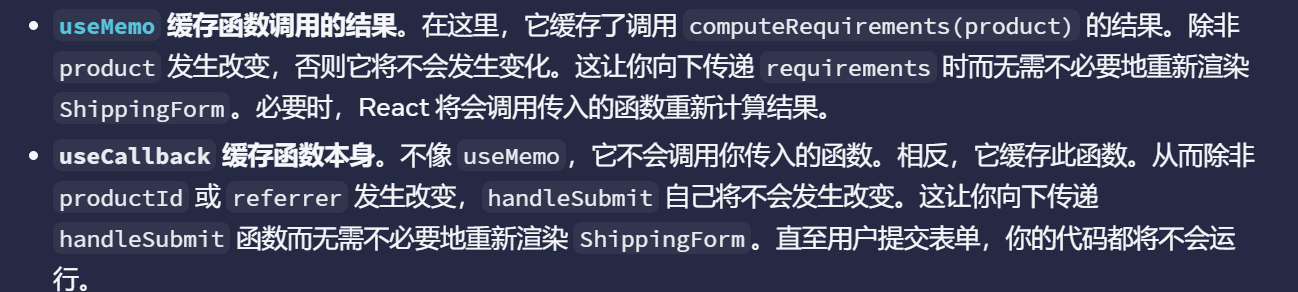
useMemo
核心是进行对应的优化计算结果,以及进行其他的记忆化结果的实现吧
核心是为了将复杂荣誉的昂贵的计算记忆化缓存
import React, { useState, useMemo } from 'react';

const ExpensiveCalculationComponent: React.FC = () => {
  const [count, setCount] = useState(0);
  const [todos, setTodos] = useState<string[]>([]);

  // 模拟一个高开销的计算
  const expensiveValue = useMemo(() => {
    console.log('Calculating expensive value...');
    let sum = 0;
    for (let i = 0; i < count * 1000000; i++) {
      sum += i;
    }
    return sum;
  }, [count]); // 只有当count改变时才会重新计算

  return (
    <div>
      <div>
        <h2>Todos</h2>
        {todos.map((todo, index) => (
          <p key={index}>{todo}</p>))}
        <button onClick={() => setTodos([...todos, `Todo ${todos.length + 1}`])}>
          Add Todo
        </button>
      </div>
      <div>
        <h2>Expensive Calculation</h2>
        <p>Count: {count}</p>
        <p>Expensive Value: {expensiveValue}</p>
        <button onClick={() => setCount(count + 1)}>Increment Count</button>
      </div>
    </div>
  );
};

export default ExpensiveCalculationComponent;


import React, { useState, useMemo } from 'react';

const BasicUseMemoDemo: React.FC = () => {
  const [count, setCount] = useState(0);
  const [name, setName] = useState('');

  // 昂贵的计算 - 使用 useMemo 进行优化
  const expensiveValue = useMemo(() => {
    console.log('执行昂贵的计算...');
    let result = 0;
    for (let i = 0; i < count * 1000000; i++) {
      result += Math.random();
    }
    return result;
  }, [count]); // 依赖项:只有 count 变化时才重新计算

  // 派生数据 - 使用 useMemo 缓存
  const userInfo = useMemo(() => {
    return {
      name: name.toUpperCase(),
      count: count * 2,
      timestamp: Date.now()
    };
  }, [name, count]);

  return (
    <div className="p-4 border rounded">
      <h2>useMemo 基础示例</h2>

      <div className="mb-4">
        <label>计数: </label>
        <button onClick={() => setCount(c => c - 1)}>-</button>
        <span className="mx-2">{count}</span>
        <button onClick={() => setCount(c => c + 1)}>+</button>
      </div>

      <div className="mb-4">
        <label>姓名: </label>
        <input
          value={name}
          onChange={(e) => setName(e.target.value)}
          placeholder="输入姓名"
        />
      </div>

      <div className="mb-4">
        <p>昂贵计算值: {expensiveValue.toFixed(2)}</p>
        <p>用户信息: {JSON.stringify(userInfo)}</p>
      </div>
    </div>
  );
};

export default BasicUseMemoDemo;


import React, { useMemo, useState, useRef, useEffect } from 'react';

const PerformanceMeasurement: React.FC = () => {
  const [data, setData] = useState<number[]>([]);
  const [useMemoEnabled, setUseMemoEnabled] = useState(true);
  const renderTimes = useRef<number[]>([]);

  useEffect(() => {
    // 初始化测试数据
    setData(Array.from({ length: 1000 }, (_, i) => i));
  }, []);

  const startTime = performance.now();

  // 条件性地使用 useMemo
  const processedData = useMemoEnabled
    ? useMemo(() => {
        return data.map(x => {
          // 模拟昂贵计算
          let result = 0;
          for (let i = 0; i < 1000; i++) {
            result += Math.sqrt(x + i);
          }
          return result;
        });
      }, [data])
    : data.map(x => {
        let result = 0;
        for (let i = 0; i < 1000; i++) {
          result += Math.sqrt(x + i);
        }
        return result;
      });

  const endTime = performance.now();
  renderTimes.current.push(endTime - startTime);

  return (
    <div className="p-4 border rounded">
      <h2>性能测量</h2>

      <div className="mb-4">
        <label>
          <input
            type="checkbox"
            checked={useMemoEnabled}
            onChange={(e) => setUseMemoEnabled(e.target.checked)}
          />
          启用 useMemo
        </label>

        <button
          onClick={() => setData(prev => [...prev, prev.length])}
          className="ml-4"
        >
          添加数据项
        </button>
      </div>

      <div>
        <p>最近渲染耗时: {(endTime - startTime).toFixed(2)}ms</p>
        <p>平均渲染耗时: {
          (renderTimes.current.reduce((a, b) => a + b, 0) /
          renderTimes.current.length).toFixed(2)
        }ms</p>
        <p>数据项数量: {data.length}</p>
      </div>
    </div>
  );
};

export default PerformanceMeasurement;
useContext
useContext 实现快速管理我们的应用吧,管理 context 得讷
定义Context的类型(TypeScript接口)
创建Context(使用createContext,并给定初始值,通常为undefined或具有初始状态)
创建Provider组件,该组件接收props(包括children),并使用state或reducer来管理上下文状态。
在Provider组件中,通过useMemo或useCallback来优化传递给context的值(避免不必要的重渲染)
创建自定义Hook来使用这个Context,并在Hook中检查Context是否在Provider内使用(即不为undefined)
深度思考吧
由于我们平时实现创建 context 的时候,一般步骤都是固定化的,此时就可以实现一个抽象方法的封装吧
此时就可以通过一个工厂模式进行创建我们的一个通用的 context 函数来实现吧
import { createContext, useContext } from 'react';

const ThemeContext = createContext(null);

export default function MyApp() {
  return (
    <ThemeContext value="dark">
      <Form />
    </ThemeContext>
  )
}

function Form() {
  return (
    <Panel title="Welcome">
      <Button>Sign up</Button>
      <Button>Log in</Button>
    </Panel>
  );
}

function Panel({ title, children }) {
  const theme = useContext(ThemeContext);
  const className = 'panel-' + theme;
  return (
    <section className={className}>
      <h1>{title}</h1>
      {children}
    </section>
  )
}

function Button({ children }) {
  const theme = useContext(ThemeContext);
  const className = 'button-' + theme;
  return (
    <button className={className}>
      {children}
    </button>
  );
}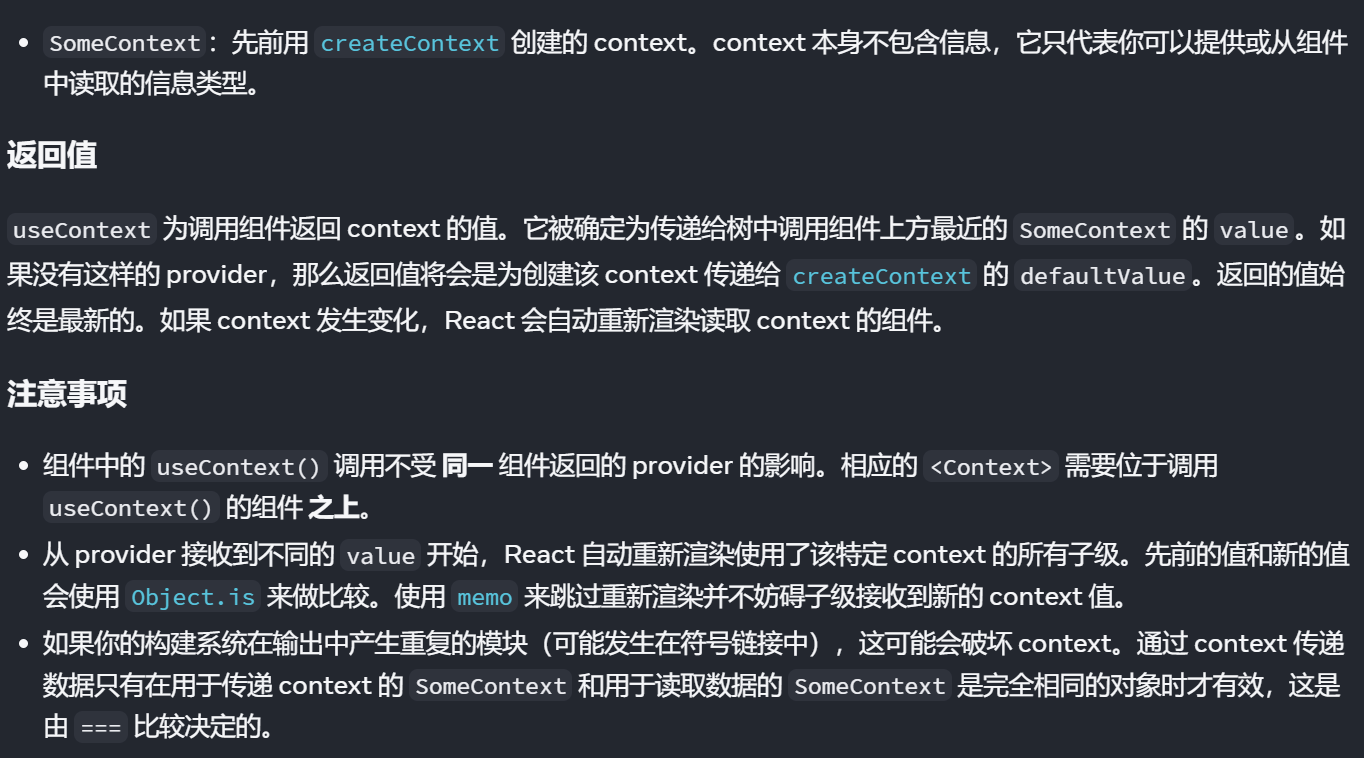
// 首先进行定义我们的统一的类型管理吧
export interface User {
    id: string;
    name: string,
    email: string;
    avatar: string;
}
export type Theme = 'light' | 'dark' | 'system';
export interface Notification {
    id: string;
    type: 'success' | 'info' | 'warning' | 'error';
    message: string;
    duration?: number;
}

import React, { createContext, useContext, useState, useEffect, type ReactNode } from 'react';
import { type Theme } from './types';

interface ThemeContextType {
    theme: Theme;
    setTheme: (theme: Theme) => void;
    toggleTheme: () => void;
    isDarkTheme: boolean;
}
// 实现创建对应的 ThemeContext 上下文
const ThemeContext = createContext<ThemeContextType | undefined>(undefined);
interface ThemeProviderProps {
    children: ReactNode;
    defaultValue?: Theme;
}
export ThemeProvider: React.FC<ThemeProviderProps> = (props: ThemeProviderProps) => {
    const { children, defaultValue } = props;
    // 开始进行定义我们的状态吧
    const [theme, setTheme] = useState<Theme>(() => {
        // 从我们的 localStorage 中进行获取得到用户的状态保存吧
        const saved = localStorage.getItem('theme') as Theme;
        return saved || defaultValue || 'system';
    })

    // 开始实现设置我们的是不是 isDark 的计算吧
    const isDarkTheme = React.useMemo(() => {
        if (theme === 'system') {
            return window.matchMedia('(prefers-color-scheme: dark)').matches;
        }
        return theme === 'dark';
    }, [theme])

    // 监听系统主题变化
    useEffect(() => {
        if (theme === 'system') {
            return;
        }
        const mediaQuery = window.matchMedia('(prefers-color-scheme: dark)');
        const handleChange = () => {
            setTheme(mediaQuery.matches ? 'dark' : 'light');
        }
        mediaQuery.addEventListener('change', handleChange);
        return () => {
            mediaQuery.removeEventListener('change', handleChange);
        }
    }, [theme])

    // 将主题应用到我们的 document 上吧
    useEffect(() => {
        const root = window.document.documentElement;
        root.classList.remove('light', 'dark');
        root.classList.add(isDark ? 'dark' : 'light');
        localStorage.setItem('theme', theme);
    }, [theme, isDark]);

    const toggleTheme = () => {
        setTheme(current => {
            switch (current) {
                case 'light': return 'dark';
                case 'dark': return 'system';
                case 'system': return 'light';
                default: return 'light';
            }
        });
    };

    const value = {
        theme,
        setTheme,
        toggleTheme,
        isDarkTheme,
    };

    return (
        <ThemeContext.Provider value={value}>
            {children}
        </ThemeContext.Provider>
    );
}

export const useTheme = (): ThemeContextType => {
    const context = useContext(ThemeContext);
    if (context === undefined) {
        throw new Error('useTheme must be used within a ThemeProvider');
    }
    return context;
};
// contexts/AuthContext.tsx
import React, { createContext, useContext, useReducer, useCallback, ReactNode } from 'react';
import { User, Notification } from '../types';
// 状态类型
interface AuthState {
user: User | null;
isLoading: boolean;
error: string | null;
notifications: Notification[];
}
// Action 类型
type AuthAction =
| { type: 'LOGIN_START' }
| { type: 'LOGIN_SUCCESS'; payload: User }
| { type: 'LOGIN_FAILURE'; payload: string }
| { type: 'LOGOUT' }
| { type: 'UPDATE_USER'; payload: Partial<User> }
| { type: 'ADD_NOTIFICATION'; payload: Notification }
| { type: 'REMOVE_NOTIFICATION'; payload: string };
// Context 类型
interface AuthContextType extends AuthState {
login: (email: string, password: string) => Promise<void>;
logout: () => void;
updateProfile: (updates: Partial<User>) => void;
addNotification: (notification: Omit<Notification, 'id'>) => void;
removeNotification: (id: string) => void;
}
const AuthContext = createContext<AuthContextType | undefined>(undefined);
// 初始状态
const initialState: AuthState = {
user: null,
isLoading: false,
error: null,
notifications: []
};
// Reducer
function authReducer(state: AuthState, action: AuthAction): AuthState {
switch (action.type) {
case 'LOGIN_START':
return { ...state, isLoading: true, error: null };
case 'LOGIN_SUCCESS':
return { ...state, isLoading: false, user: action.payload, error: null };
case 'LOGIN_FAILURE':
return { ...state, isLoading: false, error: action.payload, user: null };
case 'LOGOUT':
return { ...initialState };
case 'UPDATE_USER':
return {
...state,
user: state.user ? { ...state.user, ...action.payload } : null
};
case 'ADD_NOTIFICATION':
const newNotification = {
...action.payload,
id: action.payload.id || Date.now().toString()
};
return {
...state,
notifications: [...state.notifications, newNotification]
};
case 'REMOVE_NOTIFICATION':
return {
...state,
notifications: state.notifications.filter(n => n.id !== action.payload)
};
default:
return state;
}
}
interface AuthProviderProps {
children: ReactNode;
}
export const AuthProvider: React.FC<AuthProviderProps> = ({ children }) => {
const [state, dispatch] = useReducer(authReducer, initialState);
// 登录函数
const login = useCallback(async (email: string, password: string) => {
dispatch({ type: 'LOGIN_START' });
try {
// 模拟 API 调用
await new Promise(resolve => setTimeout(resolve, 1000));
if (email === 'user@example.com' && password === 'password') {
const user: User = {
id: '1',
name: 'John Doe',
email: 'user@example.com',
avatar: 'https://i.pravatar.cc/150?img=1'
};
dispatch({ type: 'LOGIN_SUCCESS', payload: user });
} else {
throw new Error('Invalid credentials');
}
} catch (error) {
dispatch({
type: 'LOGIN_FAILURE',
payload: error instanceof Error ? error.message : 'Login failed'
});
throw error;
}
}, []);
// 登出函数
const logout = useCallback(() => {
dispatch({ type: 'LOGOUT' });
}, []);
// 更新用户信息
const updateProfile = useCallback((updates: Partial<User>) => {
dispatch({ type: 'UPDATE_USER', payload: updates });
}, []);
// 添加通知
const addNotification = useCallback((notification: Omit<Notification, 'id'>) => {
dispatch({
type: 'ADD_NOTIFICATION',
payload: { ...notification, id: Date.now().toString() }
});
// 自动移除通知
if (notification.duration !== 0) {
setTimeout(() => {
dispatch({ type: 'REMOVE_NOTIFICATION', payload: notification.id || '' });
}, notification.duration || 5000);
}
}, []);
// 移除通知
const removeNotification = useCallback((id: string) => {
dispatch({ type: 'REMOVE_NOTIFICATION', payload: id });
}, []);
const value: AuthContextType = {
...state,
login,
logout,
updateProfile,
addNotification,
removeNotification
};
return (
<AuthContext.Provider value={value}>
{children}
</AuthContext.Provider>
);
};
// 自定义 Hook
export const useAuth = (): AuthContextType => {
const context = useContext(AuthContext);
if (context === undefined) {
throw new Error('useAuth must be used within an AuthProvider');
}
return context;
};useReducer
useReducer是useState的替代方案,它接受一个reducer函数和初始状态,返回当前状态以及一个dispatch函数。当状态逻辑较复杂时,使用useReducer比useState更合适。
import React, { useReducer, useState } from 'react';

// 类型定义
interface Todo {
  id: number;
  text: string;
  completed: boolean;
}

interface TodoState {
  todos: Todo[];
  filter: 'all' | 'active' | 'completed';
}

type TodoAction =
  | { type: 'ADD_TODO'; payload: string }
  | { type: 'TOGGLE_TODO'; payload: number }
  | { type: 'DELETE_TODO'; payload: number }
  | { type: 'SET_FILTER'; payload: TodoState['filter'] }
  | { type: 'CLEAR_COMPLETED' };

// Reducer 函数
const todoReducer = (state: TodoState, action: TodoAction): TodoState => {
  switch (action.type) {
    case 'ADD_TODO':
      const newTodo: Todo = {
        id: Date.now(),
        text: action.payload,
        completed: false
      };
      return {
        ...state,
        todos: [...state.todos, newTodo]
      };

    case 'TOGGLE_TODO':
      return {
        ...state,
        todos: state.todos.map(todo =>
          todo.id === action.payload
            ? { ...todo, completed: !todo.completed }
            : todo
        )
      };

    case 'DELETE_TODO':
      return {
        ...state,
        todos: state.todos.filter(todo => todo.id !== action.payload)
      };

    case 'SET_FILTER':
      return {
        ...state,
        filter: action.payload
      };

    case 'CLEAR_COMPLETED':
      return {
        ...state,
        todos: state.todos.filter(todo => !todo.completed)
      };

    default:
      return state;
  }
};

const initialState: TodoState = {
  todos: [],
  filter: 'all'
};

const TodoListDemo: React.FC = () => {
  const [state, dispatch] = useReducer(todoReducer, initialState);
  const [inputText, setInputText] = useState('');

  // 过滤 todos
  const filteredTodos = state.todos.filter(todo => {
    switch (state.filter) {
      case 'active':
        return !todo.completed;
      case 'completed':
        return todo.completed;
      default:
        return true;
    }
  });

  const handleSubmit = (e: React.FormEvent) => {
    e.preventDefault();
    if (inputText.trim()) {
      dispatch({ type: 'ADD_TODO', payload: inputText.trim() });
      setInputText('');
    }
  };

  const completedCount = state.todos.filter(todo => todo.completed).length;
  const activeCount = state.todos.length - completedCount;

  return (
    <div className="p-4 border rounded max-w-md mx-auto">
      <h2 className="text-xl font-bold mb-4">Todo List (useReducer)</h2>

      {/* 添加 Todo */}
      <form onSubmit={handleSubmit} className="mb-4">
        <div className="flex">
          <input
            type="text"
            value={inputText}
            onChange={(e) => setInputText(e.target.value)}
            placeholder="添加新任务..."
            className="flex-1 px-3 py-2 border rounded-l"
          />
          <button
            type="submit"
            className="px-4 py-2 bg-blue-500 text-white rounded-r"
          >
            添加
          </button>
        </div>
      </form>

      {/* 过滤器 */}
      <div className="flex space-x-2 mb-4">
        {(['all', 'active', 'completed'] as const).map(filter => (
          <button
            key={filter}
            onClick={() => dispatch({ type: 'SET_FILTER', payload: filter })}
            className={`px-3 py-1 rounded ${
              state.filter === filter
                ? 'bg-blue-500 text-white'
                : 'bg-gray-200 text-gray-700'
            }`}
          >
            {filter === 'all' ? '全部' : filter === 'active' ? '未完成' : '已完成'}
          </button>
        ))}
      </div>

      {/* Todo 列表 */}
      <ul className="space-y-2 mb-4">
        {filteredTodos.map(todo => (
          <li key={todo.id} className="flex items-center justify-between p-2 border rounded">
            <div className="flex items-center">
              <input
                type="checkbox"
                checked={todo.completed}
                onChange={() => dispatch({ type: 'TOGGLE_TODO', payload: todo.id })}
                className="mr-2"
              />
              <span className={todo.completed ? 'line-through text-gray-500' : ''}>
                {todo.text}
              </span>
            </div>
            <button
              onClick={() => dispatch({ type: 'DELETE_TODO', payload: todo.id })}
              className="text-red-500 hover:text-red-700"
            >
              删除
            </button>
          </li>
        ))}
      </ul>

      {/* 统计和操作 */}
      <div className="flex justify-between items-center">
        <span className="text-sm text-gray-600">
          {activeCount} 个待完成, {completedCount} 个已完成
        </span>
        {completedCount > 0 && (
          <button
            onClick={() => dispatch({ type: 'CLEAR_COMPLETED' })}
            className="px-3 py-1 bg-red-500 text-white rounded text-sm"
          >
            清除已完成
          </button>
        )}
      </div>
    </div>
  );
};

export default TodoListDemo;
import React, { useReducer } from 'react';
/**
* useReducer 通用模板
* 提供标准化的状态管理模式
*/
// 模板1: 基础数据管理
export interface BaseState<T> {
data: T | null;
loading: boolean;
error: string | null;
}
export type BaseAction<T> =
| { type: 'FETCH_START' }
| { type: 'FETCH_SUCCESS'; payload: T }
| { type: 'FETCH_ERROR'; payload: string }
| { type: 'RESET' };
export function createBaseReducer<T>() {
return (state: BaseState<T>, action: BaseAction<T>): BaseState<T> => {
switch (action.type) {
case 'FETCH_START':
return { ...state, loading: true, error: null };
case 'FETCH_SUCCESS':
return { data: action.payload, loading: false, error: null };
case 'FETCH_ERROR':
return { ...state, loading: false, error: action.payload };
case 'RESET':
return { data: null, loading: false, error: null };
default:
return state;
}
};
}
// 模板2: 列表数据管理
export interface ListState<T> {
items: T[];
selectedId: number | null;
loading: boolean;
error: string | null;
}
export type ListAction<T> =
| { type: 'FETCH_ITEMS_START' }
| { type: 'FETCH_ITEMS_SUCCESS'; payload: T[] }
| { type: 'FETCH_ITEMS_ERROR'; payload: string }
| { type: 'ADD_ITEM'; payload: T }
| { type: 'UPDATE_ITEM'; payload: T }
| { type: 'DELETE_ITEM'; payload: number }
| { type: 'SELECT_ITEM'; payload: number | null }
| { type: 'RESET_LIST' };
export function createListReducer<T extends { id: number }>() {
return (state: ListState<T>, action: ListAction<T>): ListState<T> => {
switch (action.type) {
case 'FETCH_ITEMS_START':
return { ...state, loading: true, error: null };
case 'FETCH_ITEMS_SUCCESS':
return { ...state, items: action.payload, loading: false };
case 'FETCH_ITEMS_ERROR':
return { ...state, loading: false, error: action.payload };
case 'ADD_ITEM':
return { ...state, items: [...state.items, action.payload] };
case 'UPDATE_ITEM':
return {
...state,
items: state.items.map(item =>
item.id === action.payload.id ? action.payload : item
)
};
case 'DELETE_ITEM':
return {
...state,
items: state.items.filter(item => item.id !== action.payload)
};
case 'SELECT_ITEM':
return { ...state, selectedId: action.payload };
case 'RESET_LIST':
return { items: [], selectedId: null, loading: false, error: null };
default:
return state;
}
};
}
// 模板3: 表单状态管理
export interface FormState {
values: Record<string, any>;
errors: Record<string, string>;
touched: Record<string, boolean>;
submitting: boolean;
}
export type FormAction =
| { type: 'SET_FIELD_VALUE'; payload: { field: string; value: any } }
| { type: 'SET_FIELD_ERROR'; payload: { field: string; error: string } }
| { type: 'SET_FIELD_TOUCHED'; payload: { field: string; touched: boolean } }
| { type: 'SET_SUBMITTING'; payload: boolean }
| { type: 'RESET_FORM' }
| { type: 'SET_FORM_VALUES'; payload: Record<string, any> };
export const formReducer = (state: FormState, action: FormAction): FormState => {
switch (action.type) {
case 'SET_FIELD_VALUE':
return {
...state,
values: {
...state.values,
[action.payload.field]: action.payload.value
},
errors: {
...state.errors,
[action.payload.field]: ''
}
};
case 'SET_FIELD_ERROR':
return {
...state,
errors: {
...state.errors,
[action.payload.field]: action.payload.error
}
};
case 'SET_FIELD_TOUCHED':
return {
...state,
touched: {
...state.touched,
[action.payload.field]: action.payload.touched
}
};
case 'SET_SUBMITTING':
return { ...state, submitting: action.payload };
case 'RESET_FORM':
return {
values: {},
errors: {},
touched: {},
submitting: false
};
case 'SET_FORM_VALUES':
return {
...state,
values: action.payload
};
default:
return state;
}
};useRef
import React, { useRef, useState, useEffect } from 'react';

const MutableValueDemo: React.FC = () => {
  const [count, setCount] = useState(0);
  const [renderCount, setRenderCount] = useState(0);

  // 使用 useRef 存储可变值,不会触发重新渲染
  const countRef = useRef(0);
  const previousCountRef = useRef<number | null>(null);
  const timerRef = useRef<NodeJS.Timeout | null>(null);

  // 记录渲染次数
  useEffect(() => {
    setRenderCount(prev => prev + 1);
  });

  // 记录前一个 count 值
  useEffect(() => {
    previousCountRef.current = count;
  }, [count]);

  const handleIncrementRef = () => {
    countRef.current += 1;
    console.log('ref count:', countRef.current);
    // 注意:这不会触发重新渲染!
  };

  const handleIncrementState = () => {
    setCount(prev => prev + 1);
  };

  const handleStartTimer = () => {
    if (timerRef.current) {
      clearInterval(timerRef.current);
    }

    timerRef.current = setInterval(() => {
      countRef.current += 1;
      console.log('定时器计数:', countRef.current);
    }, 1000);
  };

  const handleStopTimer = () => {
    if (timerRef.current) {
      clearInterval(timerRef.current);
      timerRef.current = null;
    }
  };

  const handleShowRefValue = () => {
    alert(`Ref 当前值: ${countRef.current}\nState 当前值: ${count}`);
  };

  return (
    <div className="p-4 border rounded">
      <h2>useRef 可变值存储</h2>

      <div className="mb-4 grid grid-cols-2 gap-4">
        <div className="p-3 bg-blue-50 rounded">
          <h3 className="font-bold">useRef 值</h3>
          <p>当前值: {countRef.current}</p>
          <p>不会触发重新渲染</p>
        </div>

        <div className="p-3 bg-green-50 rounded">
          <h3 className="font-bold">useState 值</h3>
          <p>当前值: {count}</p>
          <p>前一个值: {previousCountRef.current ?? '无'}</p>
        </div>
      </div>

      <div className="mb-4">
        <p>组件渲染次数: {renderCount}</p>
      </div>

      <div className="space-x-2 mb-4">
        <button
          onClick={handleIncrementRef}
          className="px-3 py-1 bg-blue-500 text-white rounded"
        >
          增加 Ref 值
        </button>

        <button
          onClick={handleIncrementState}
          className="px-3 py-1 bg-green-500 text-white rounded"
        >
          增加 State 值
        </button>

        <button
          onClick={handleShowRefValue}
          className="px-3 py-1 bg-gray-500 text-white rounded"
        >
          显示 Ref 值
        </button>
      </div>

      <div className="space-x-2">
        <button
          onClick={handleStartTimer}
          className="px-3 py-1 bg-purple-500 text-white rounded"
        >
          启动定时器
        </button>

        <button
          onClick={handleStopTimer}
          className="px-3 py-1 bg-red-500 text-white rounded"
        >
          停止定时器
        </button>
      </div>

      <p className="mt-4 text-sm text-gray-600">
        打开控制台查看 Ref 值的变化,注意组件不会重新渲染。
      </p>
    </div>
  );
};

export default MutableValueDemo;
访问 DOM 元素:通过 ref 属性附加到 React 元素上,从而可以直接操作 DOM。
存储可变值:类似于类实例属性的方式,存储任意可变值。更改
.current属性不会触发组件重新渲染。useState返回的状态值更新会触发组件重新渲染,而useRef的.current属性变化不会。useRef返回的对象在组件的整个生命周期内保持不变,每次渲染返回同一个 ref 对象。
useTransition
createElement
import React, { createElement } from 'react';

// 组件配置类型
interface ComponentConfig {
  type: string | React.ComponentType;
  props?: Record<string, any>;
  children?: ComponentConfig[] | string;
}

// 可配置的组件渲染器
const ConfigurableRenderer: React.FC<{ config: ComponentConfig }> = ({ config }) => {
  const renderComponent = (config: ComponentConfig): React.ReactElement => {
    const { type, props = {}, children } = config;

    let processedChildren: any = undefined;

    if (Array.isArray(children)) {
      // 递归渲染子组件
      processedChildren = children.map((child, index) =>
        typeof child === 'string'
          ? child
          : React.cloneElement(renderComponent(child), { key: index })
      );
    } else if (children) {
      processedChildren = children;
    }

    // 使用 createElement 动态创建组件
    return createElement(type, props, processedChildren);
  };

  return renderComponent(config);
};

// 使用示例
const App: React.FC = () => {
  const pageConfig: ComponentConfig = {
    type: 'div',
    props: { className: 'page-container' },
    children: [
      {
        type: 'header',
        props: { className: 'page-header' },
        children: [
          {
            type: 'h1',
            props: { style: { color: 'blue' } },
            children: '动态标题'
          },
          {
            type: 'button',
            props: {
              onClick: () => alert('点击!'),
              className: 'btn-primary'
            },
            children: '点击我'
          }
        ]
      },
      {
        type: 'main',
        props: { className: 'page-content' },
        children: '这里是内容区域'
      }
    ]
  };

  return <ConfigurableRenderer config={pageConfig} />;
};

export default App;


import React, { createElement, useState } from 'react';

// 表单字段类型定义
type FieldType = 'input' | 'select' | 'textarea' | 'checkbox' | 'custom';

interface FormField {
  type: FieldType;
  name: string;
  label: string;
  required?: boolean;
  options?: { label: string; value: any }[];
  component?: React.ComponentType<any>;
  props?: Record<string, any>;
  validation?: (value: any) => string | null;
}

interface FormGeneratorProps {
  fields: FormField[];
  onSubmit: (data: Record<string, any>) => void;
}

const FormGenerator: React.FC<FormGeneratorProps> = ({ fields, onSubmit }) => {
  const [formData, setFormData] = useState<Record<string, any>>({});
  const [errors, setErrors] = useState<Record<string, string>>({});

  const handleChange = (name: string, value: any) => {
    setFormData(prev => ({ ...prev, [name]: value }));

    // 清除该字段的错误
    if (errors[name]) {
      setErrors(prev => ({ ...prev, [name]: '' }));
    }
  };

  const validateForm = (): boolean => {
    const newErrors: Record<string, string> = {};

    fields.forEach(field => {
      if (field.required && !formData[field.name]) {
        newErrors[field.name] = `${field.label}是必填项`;
      }

      if (field.validation) {
        const error = field.validation(formData[field.name]);
        if (error) {
          newErrors[field.name] = error;
        }
      }
    });

    setErrors(newErrors);
    return Object.keys(newErrors).length === 0;
  };

  const handleSubmit = (e: React.FormEvent) => {
    e.preventDefault();
    if (validateForm()) {
      onSubmit(formData);
    }
  };

  const renderField = (field: FormField): React.ReactElement => {
    const commonProps = {
      key: field.name,
      name: field.name,
      value: formData[field.name] || '',
      onChange: (e: any) => handleChange(field.name,
        field.type === 'checkbox' ? e.target.checked : e.target.value
      ),
      ...field.props
    };

    switch (field.type) {
      case 'input':
        return createElement('input', {
          ...commonProps,
          type: 'text'
        });

      case 'textarea':
        return createElement('textarea', commonProps);

      case 'select':
        return createElement('select', commonProps,
          field.options?.map(option =>
            createElement('option', {
              key: option.value,
              value: option.value
            }, option.label)
          )
        );

      case 'checkbox':
        return createElement('input', {
          ...commonProps,
          type: 'checkbox',
          checked: !!formData[field.name]
        });

      case 'custom':
        if (!field.component) {
          throw new Error('Custom field must have a component');
        }
        return createElement(field.component, {
          ...commonProps,
          value: formData[field.name],
          onChange: (value: any) => handleChange(field.name, value)
        });

      default:
        return createElement('div', {}, `未知字段类型: ${field.type}`);
    }
  };

  return createElement('form', { onSubmit: handleSubmit },
    fields.map(field =>
      createElement('div', { key: field.name, className: 'form-field' },
        createElement('label', { htmlFor: field.name }, field.label),
        renderField(field),
        errors[field.name] &&
          createElement('div', { className: 'error' }, errors[field.name])
      )
    ),
    createElement('button', { type: 'submit' }, '提交')
  );
};

// 使用示例
const AdvancedFormDemo: React.FC = () => {
  const formFields: FormField[] = [
    {
      type: 'input',
      name: 'username',
      label: '用户名',
      required: true,
      validation: (value) => value.length < 3 ? '用户名至少3个字符' : null
    },
    {
      type: 'select',
      name: 'country',
      label: '国家',
      options: [
        { label: '中国', value: 'cn' },
        { label: '美国', value: 'us' },
        { label: '日本', value: 'jp' }
      ]
    },
    {
      type: 'textarea',
      name: 'bio',
      label: '个人简介',
      props: { rows: 4 }
    },
    {
      type: 'checkbox',
      name: 'agree',
      label: '我同意协议',
      required: true
    }
  ];

  const handleSubmit = (data: Record<string, any>) => {
    console.log('表单数据:', data);
    alert('表单提交成功!');
  };

  return createElement(FormGenerator, {
    fields: formFields,
    onSubmit: handleSubmit
  });
};

export default AdvancedFormDemo;


// 1. 动态组件类型
const DynamicComponent = ({ componentType, props, children }) => {
  return React.createElement(componentType, props, children);
};

// 2. 高阶组件和包装器
const withLogger = (WrappedComponent) => {
  return (props) => {
    console.log('组件渲染:', props);
    return React.createElement(WrappedComponent, props);
  };
};

// 3. 条件渲染复杂结构
const ConditionalRenderer = ({ condition, trueComponent, falseComponent }) => {
  return condition
    ? React.createElement(trueComponent)
    : React.createElement(falseComponent);
};

// 4. 组件工厂
const componentFactory = (type, config) => {
  return React.createElement(type, config.props, config.children);
};
import React, { createElement, useContext, useMemo } from 'react';
// 创建上下文
const ComponentRegistryContext = React.createContext<Record<string, React.ComponentType>>({});
// 组件注册表提供者
export const ComponentRegistryProvider: React.FC<{
components: Record<string, React.ComponentType>;
children: React.ReactNode;
}> = ({ components, children }) => {
return createElement(
ComponentRegistryContext.Provider,
{ value: components },
children
);
};
// 动态组件加载器
export const DynamicComponent: React.FC<{
componentName: string;
props?: Record<string, any>;
fallback?: React.ComponentType;
}> = ({ componentName, props = {}, fallback: Fallback }) => {
const componentRegistry = useContext(ComponentRegistryContext);
const Component = componentRegistry[componentName];
if (!Component) {
console.warn(`组件 ${componentName} 未在注册表中找到`);
return Fallback ? createElement(Fallback, props) : null;
}
return createElement(Component, props);
};
// 使用示例
const App: React.FC = () => {
const componentRegistry = {
Header: ({ title }) => createElement('header', null, title),
Button: ({ children, onClick }) =>
createElement('button', { onClick }, children),
Card: ({ children }) =>
createElement('div', { className: 'card' }, children)
};
const pageConfig = [
{ component: 'Header', props: { title: '我的应用' } },
{ component: 'Card', props: {}, children: [
{ component: 'Button', props: { onClick: () => alert('点击') }, children: '点击我' }
]}
];
const renderConfig = (config) => {
if (Array.isArray(config)) {
return config.map((item, index) => renderConfig(item));
}
return createElement(
DynamicComponent,
{
key: config.component,
componentName: config.component,
props: config.props
},
config.children ? renderConfig(config.children) : null
);
};
return createElement(
ComponentRegistryProvider,
{ components: componentRegistry },
renderConfig(pageConfig)
);
};